
Topics
A topic is a long-lived conversation that keeps its own history and context. Where a chat is throwaway, a topic is a thread of work you return to over days or weeks — and it can be linked to a GitHub issue whose body, comments, and labels become live context on every turn.
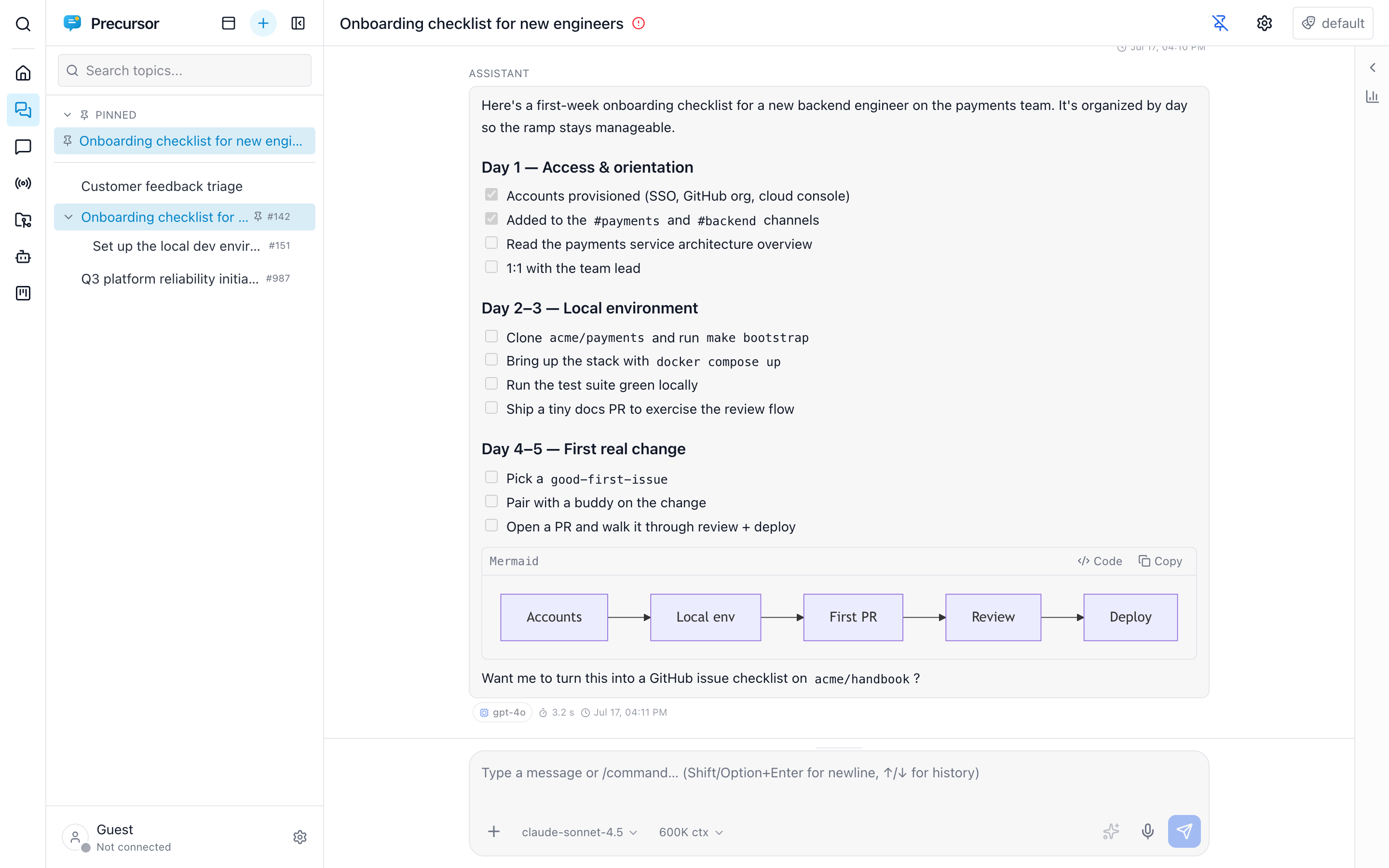
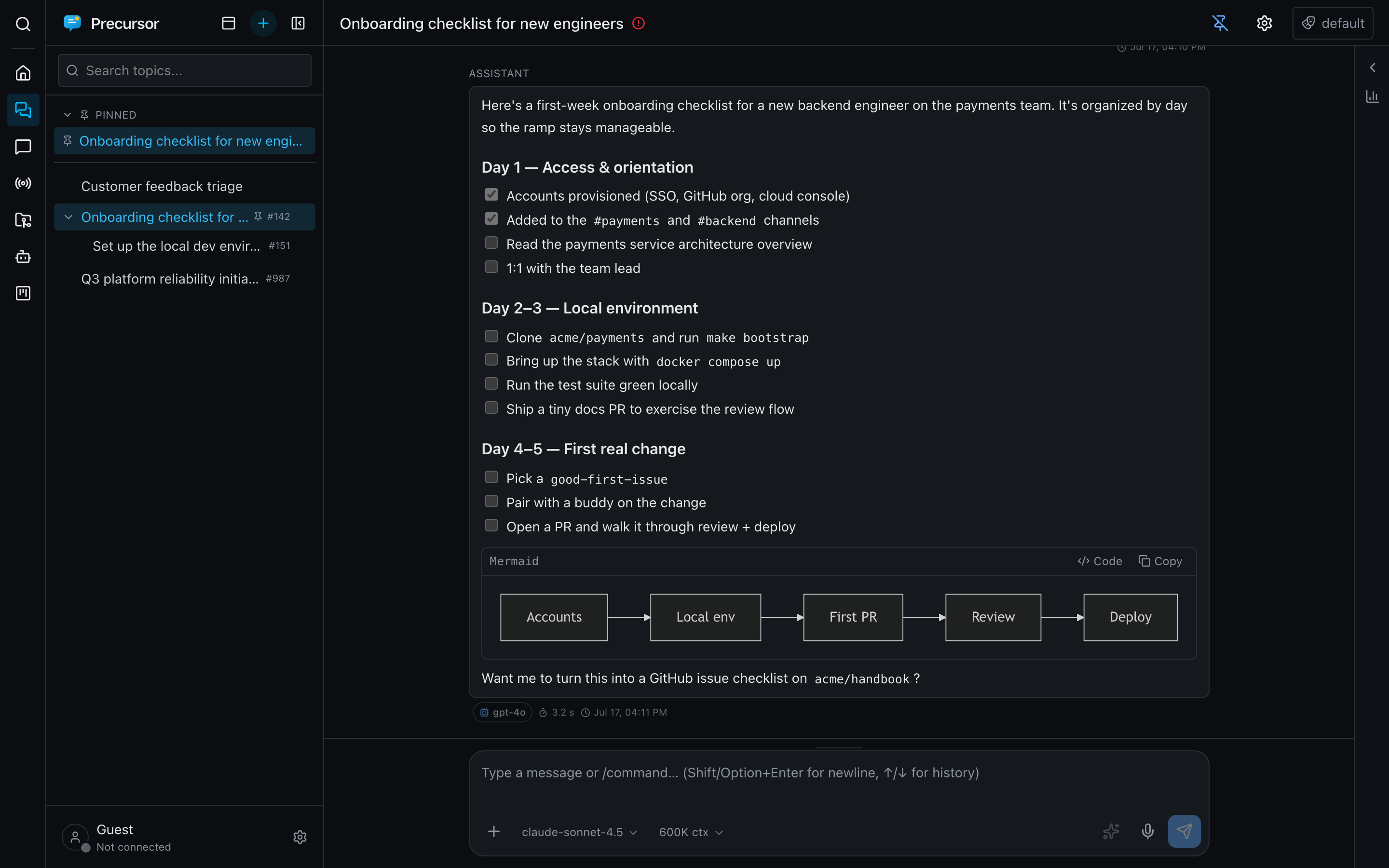
Provider per topic
The composer's single model picker lists all configured providers' models and presets, grouped by provider. Choosing one saves its provider automatically, alongside reasoning effort and context size, independently of other conversations. Use GitHub Copilot for one topic and Azure AI Foundry for another without changing the global default. Use global default clears the override.
Replies, retries, compaction, summaries, naming and scheduled/MCP-driven turns use the same selection. Side chats copy it and promotion preserves it; ordinary child topics start on the global default. An unconfigured explicit provider shows an error rather than returning a Mock reply or switching providers. See configuration; agents and workflows remain Copilot SDK-only.
Issue-linked context
Link a topic to a GitHub issue — paste a URL or number, or create a new issue from the topic. Every turn then rebuilds the assistant's context from the issue's body, its most-recent comments (newer outweigh older), and its labels, which also tag the chat.
Because that happens on every turn, edits to the issue propagate immediately — the assistant always reasons over the current state of the work.
Precursor writes back too: create or update the issue, and post comments, from the composer's GitHub actions and the shared draft panel.
Tree organization
Topics form a tree — nest one under a parent to group related threads. Right-click any topic in the sidebar to act on it without opening it: rename, pin, set a reminder, move it to another collection, or archive.
Not sure what to call one? /suggest-name reads the conversation so far and renames the topic for you — the same naming pass that names new chats.
Over MCP, a topic's place in that tree comes back already resolved as a path — the collection slug followed by the ancestor chain (client-a/csu/capacity-review) — so an agent never has to walk parent_id upward. It mirrors the URL exactly, so a path can be pasted into the browser.
Above the tree, collections split your topics into separate workspaces and filter the sidebar to one at a time.
Addressing a topic
Every topic has two addresses.
The readable one describes where the topic sits — its collection, then the ancestor chain, then its own slug:
/topics/client-a/csu/cto/capacity-reviewIt's the URL the address bar shows, and it's meant to be legible. That also means it moves: rename the topic, drag it under a different parent, or send it to another collection and the readable URL changes with it.
The permalink never moves:
/t/6f2b1c9e-6b1a-4a0e-9f0f-2f5b0f9f1c2aIt's an immutable UUID minted when the topic is created. Opening it resolves the topic and rewrites the address bar to the readable URL, so you land in the right place with a legible address. Copy it from topic settings → Permalink — it's the address to paste into an issue, a commit message, or a bookmark that has to survive reorganising.
Old links keep working
Links minted before collections joined the URL (/topics/csu/capacity-review) still resolve: the trailing slug is unique on its own, and Precursor rewrites the address to the current readable form once it has loaded.
Status at a glance
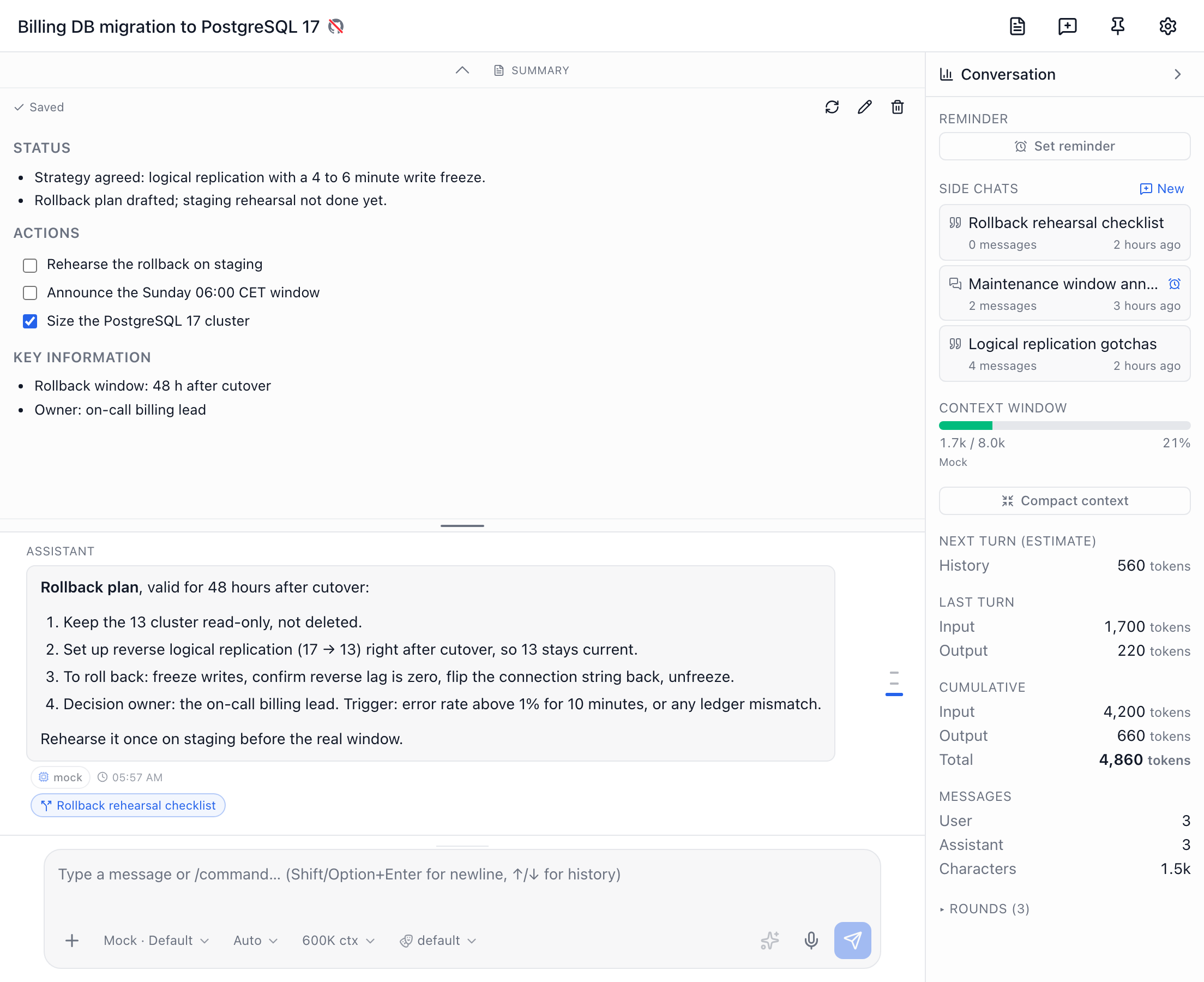
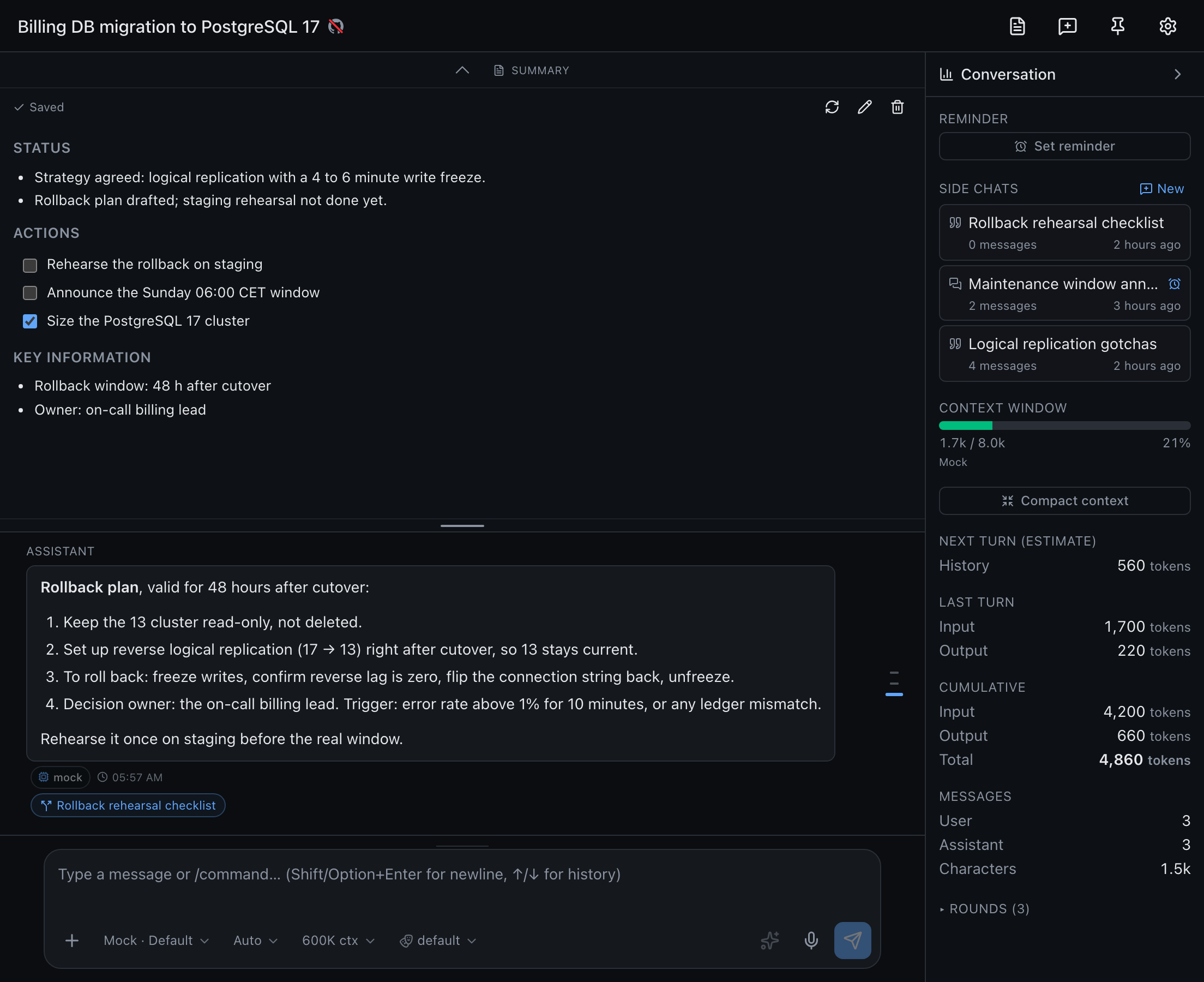
Each topic can carry an editable summary — a short brief of where it stands and what is still open, generated on request from the conversation, notes and attachments, and merged change by change once you have edited it yourself.
Tool approvals
A topic can override the default tool approval policy from the shield pill in its composer. Calls that wait for you show up as inline cards under the conversation, and the topic's sidebar row carries an amber shield badge with the number of pending approvals, even after a reload. The topic's settings list its approval rules.
Side chats
To explore a tangent without adding it to the topic's conversation, start a side chat. Start one from a reply's toolbar, from text you select in a reply, the New side chat button in the topic's header, New side chat when you right-click the topic in the sidebar, Side chats in the right panel, or /side-chat. The chat knows the topic's title, description and summary. The topic's right panel lists its side chats, and a reply that side chats were started from links to them underneath. A side chat can send its outcome back to the topic as a note.
Editing replies
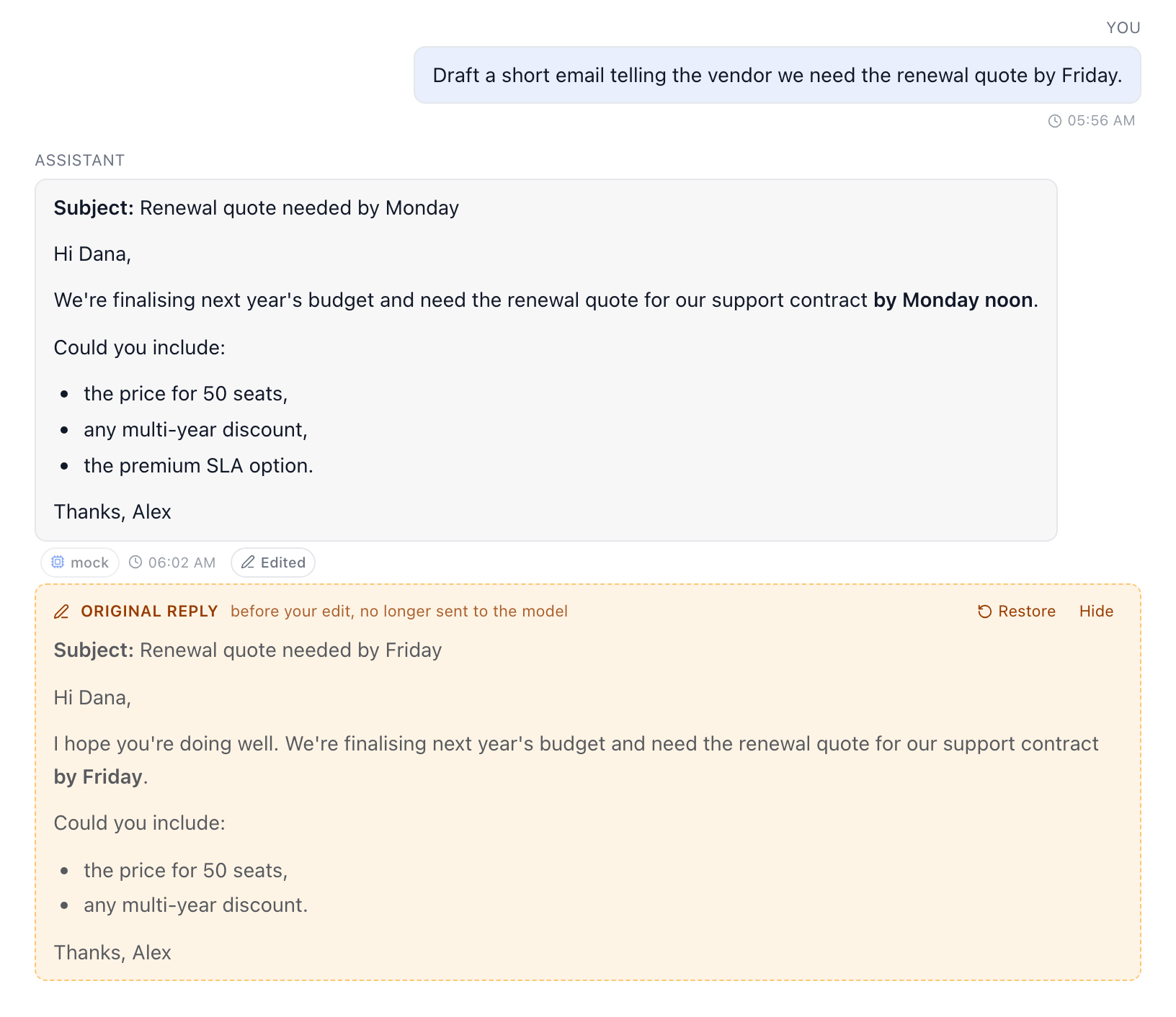
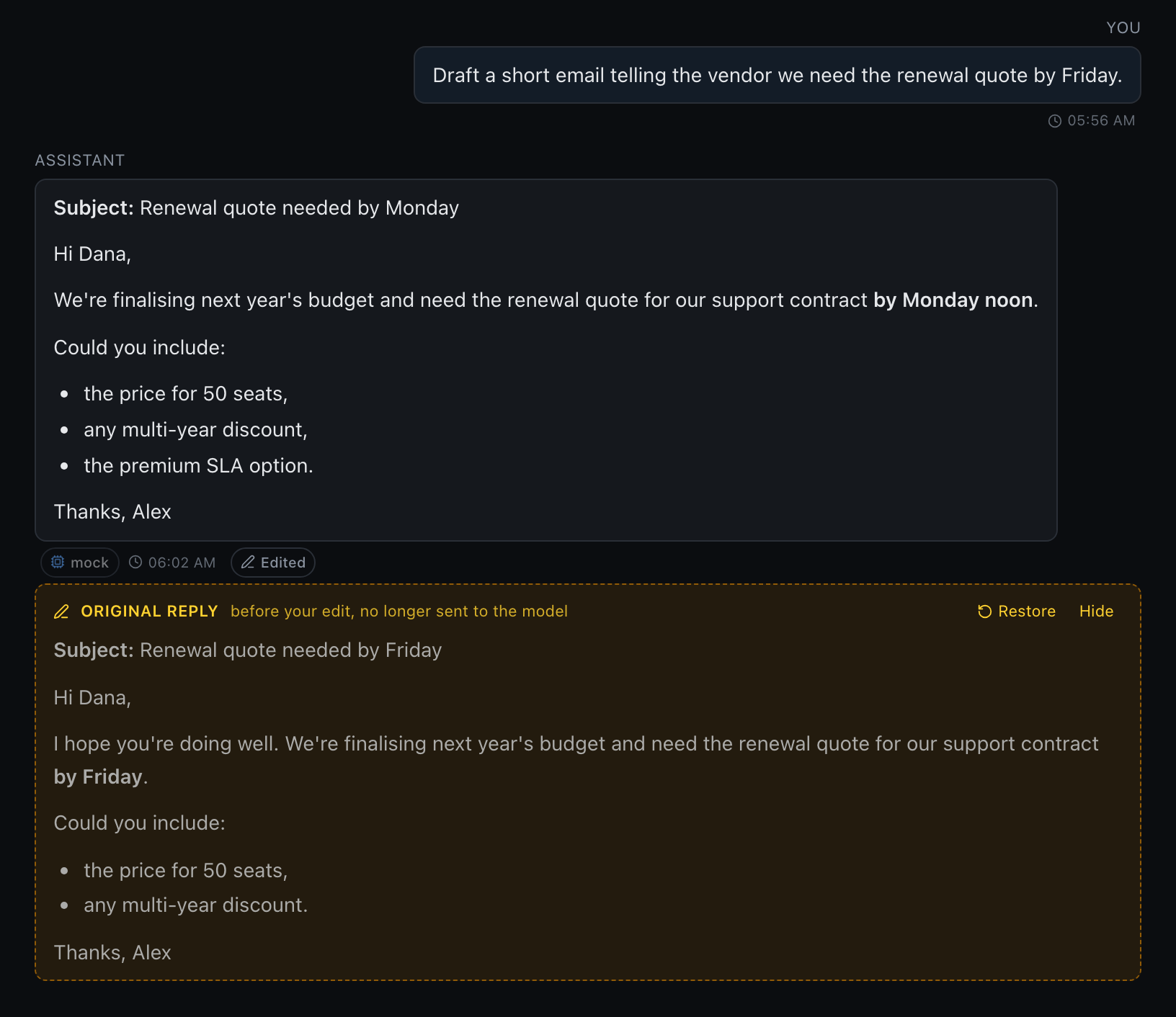
When the model drafts something you want to tweak, such as an email, edit its reply in place rather than asking for another round. Click Edit reply (the pen) in an assistant reply's toolbar, change the Markdown, and Save (⌘/Ctrl+Enter). Esc cancels.
Later turns use your version: the model sees the edited reply as its own answer. The original isn't lost. An Edited chip appears under the reply. Click it to show the original answer in a tinted block, and Restore it to drop your edit.
Acting on a selection
Select text inside an assistant reply and a small toolbar appears over it:
- Side chat (topics): start a side chat quoting only the selection.
- Edit: open the reply editor with the selected text already selected.
- Note: add the selection's Markdown source to the
/notespad, opening it if needed. Lists, headings and code fences keep their formatting. The excerpt goes below any notes already in the pad or saved draft, including a popped-out notes window.
Both work the same way in chats.
Scheduling & reminders
Any topic can carry a schedule so a prompt runs on a cadence, or a one-shot reminder that resurfaces the thread at a set time. See the scheduler.
Under the composer
- Streaming replies with markdown, mermaid, and code highlighting.
/slash commands — skills, memory, GitHub actions,/notes, summary commands.- Attachments — images (vision) and documents.
- MCP tools — shown inline as they are called.
Watching the model think
Reasoning models think before they answer, and Precursor shows it. While the model thinks, a pulsing Thinking… row sits where the reply will appear, previewing the step it is on — so a long pause reads as progress rather than a stall. Click it to read the thinking in full.
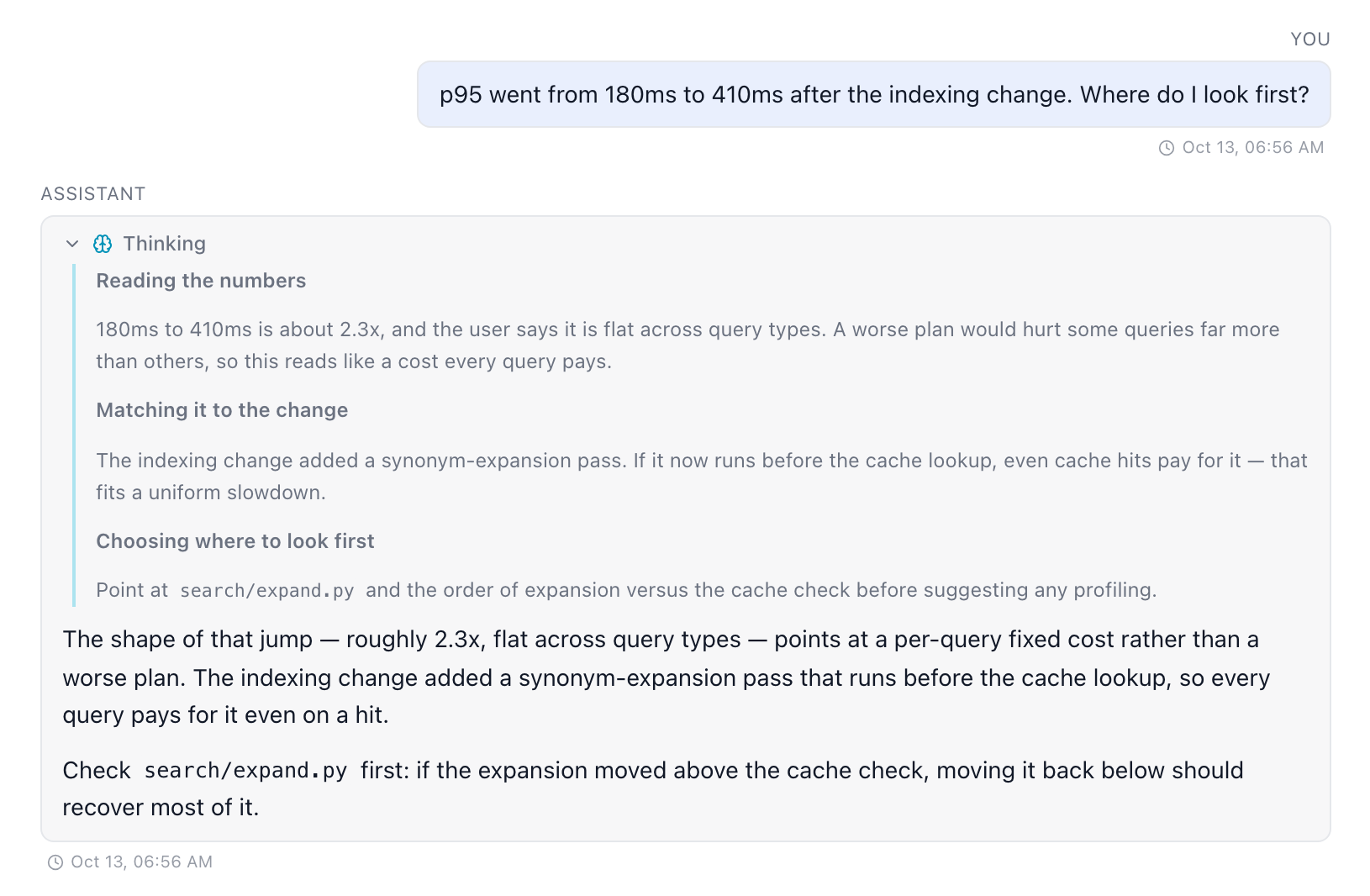
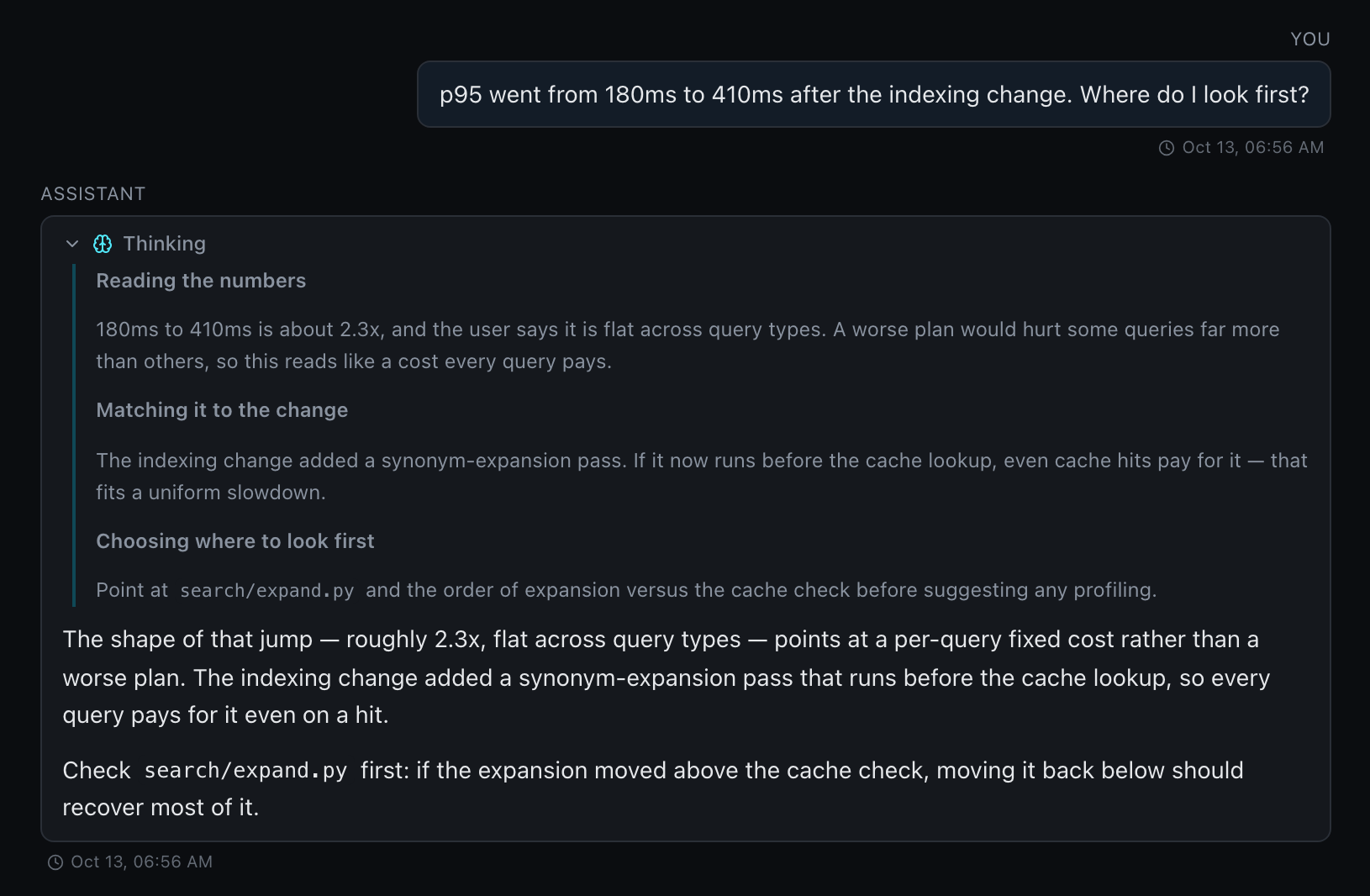
Once the answer lands the area stays with it, collapsed, and survives a reload. A turn that calls tools keeps the thinking of each round with that round, so you can see why the model reached for a tool. Stopping a turn keeps the thinking received so far with the partial reply.
What appears depends on the model:
- Gemini, and GPT-5.5 and later, stream a summary of their reasoning as they go, one titled step at a time — the preview follows those titles. Older GPT models answer on an API that doesn't expose their thinking, so they show none.
- Claude thinks only when an effort is picked under the composer, and sends a summary of its thinking just before the answer, so it shows up with the reply rather than ahead of it.
- A model that doesn't reason, or decides a question needs no thinking, shows no Thinking area at all.
The effort picker under the composer sets how hard the model thinks. The thinking is for you only: it is never sent back to the model on later turns. It follows the tool-result retention window (Settings → System → Storage / retention): past it, a reply keeps its answer but loses its Thinking area — see Storage & retention.
Copying a reply
An assistant reply's hover toolbar has three copy buttons, in topics and chats:
- Copy message: the text without the Markdown.
- Copy formatted (the envelope): the reply as formatted HTML, ready to paste into an email or a document. Every block carries its own spacing, so paragraphs, lists, tables and code keep their layout after the email is sent. Without this, Outlook on the web and the desktop app strip the spacing when the message is sent. Diagrams are copied as their source, since mail clients drop inline drawings.
- Copy raw markdown: the Markdown source.
The Copy button over summaries, notes and workflow outputs uses the same formatted copy.
Deleting, clearing and stopping
- Delete a message from its hover toolbar. It disappears at once, and an undo toast above the composer counts down — "Your message removed · undo in 5s" — before the delete is committed. Switching away commits it straight away.
/clear(or Topic settings → Clear chat) erases the whole transcript after a confirmation. It always leaves it empty: a reply still streaming is stopped first, so its answer can't land afterwards without its prompt./compact [focus]summarises a long conversation so it fits the model's window again. The older messages stay visible, and Undo on the marker restores them for the model. See context compression.- Rewind to an earlier turn from the timeline on the right edge of the transcript, or from a prompt's hover toolbar. It deletes every later turn after a preview and an undo countdown. Edit & resend also puts that turn's prompt back in the composer. See timeline & rewind.
- Stop keeps what already streamed, marked (stopped). A tool call still running settles as stopped instead of spinning, and stays in the transcript after a reload — so the next turn knows the call was cut short.
Chats behave the same way, and so does a discussion opened beside a workspace — it is a chat or a topic.
Artifacts
Workspace files a topic created or that you attached are listed as Artifacts in the stats area on the right, under the reminder. See Discussing a workspace.
When a turn fails
A failed turn — a rejected model, bad credentials, a tool loop that hits its cap — is persisted as a red error notice, never a green acknowledgement, and it survives a reload. The prompt that failed grows a Retry button that replays it against the current model and settings, dropping the failed tail. Fix the cause first (switch model, add a token in Settings → Models) and the retry picks it up.