
Workspaces & files
A workspace is a git clone or a plain folder that the assistant can browse and edit. The Files section lets you explore the workspaces backing your sessions, and the assistant operates on them through a sandboxed file layer.
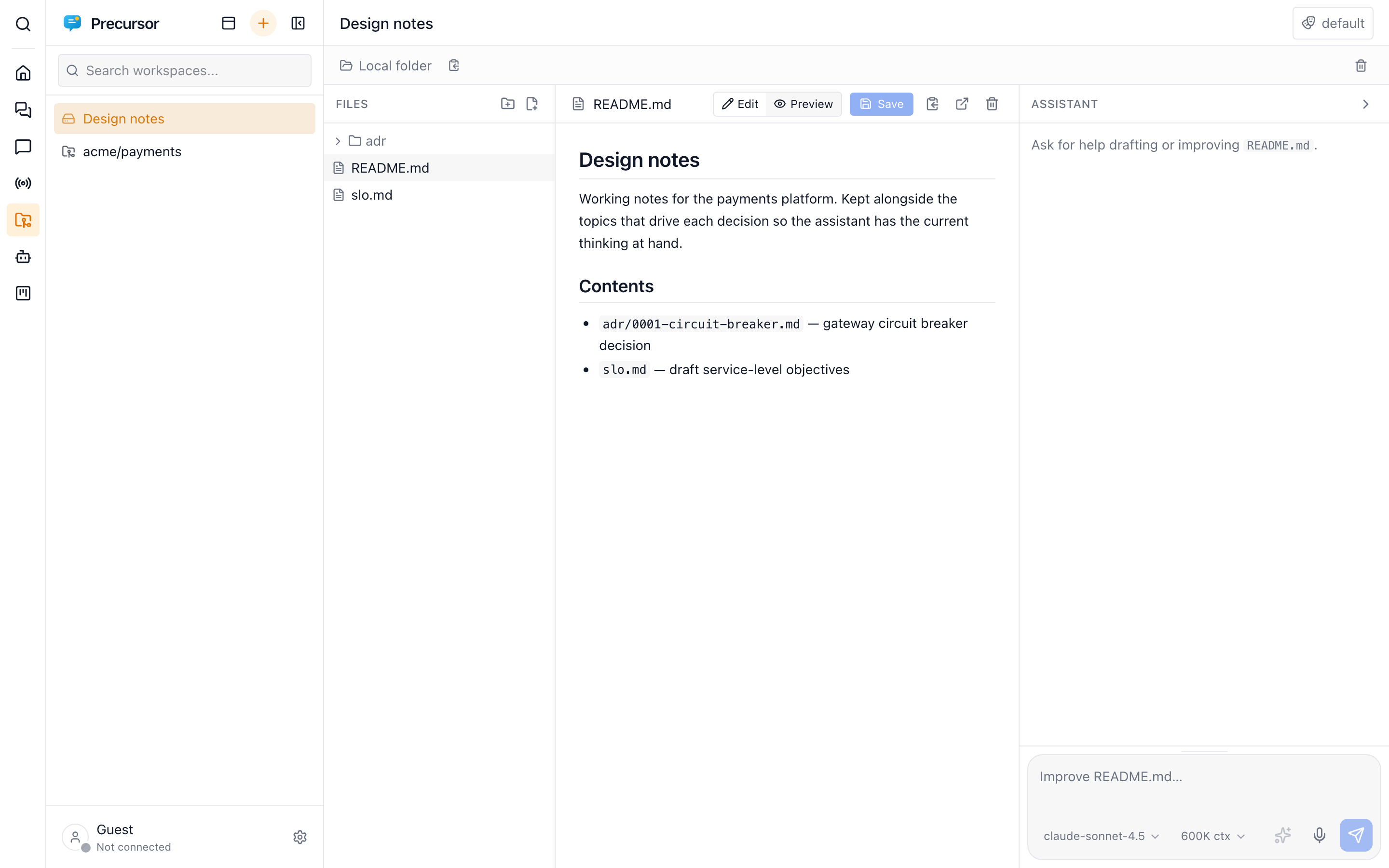
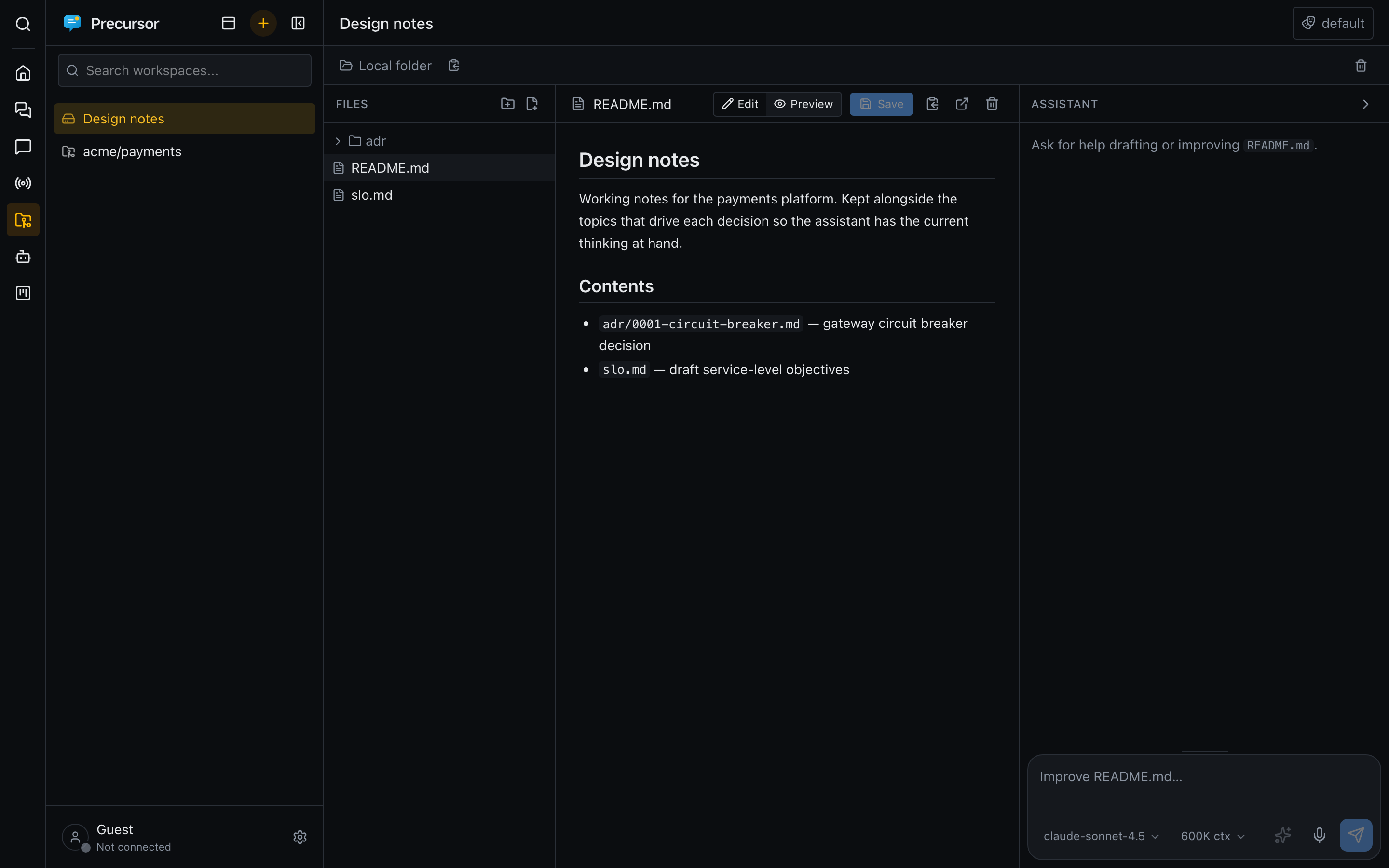
Git repositories and local folders
New workspace offers two kinds:
- Git repository — Precursor clones it into a local working copy and can pull / commit, so changes are reviewable as a
git diff. Needsgiton the server; the token is injected at operation time and never stored on the workspace row. - Local folder — creates an empty folder for authoring files, with no git behind it. The same file tools apply.
Syncing with git
The bar above a git workspace shows its branch and where it stands against the remote:
- Behind: opening the workspace, and Refresh, ask the remote for new commits without changing any file.
↓ 2 behindmeans Pull has something to bring in. A cloud icon with a slash means the remote couldn't be reached, so the count may be out of date. Hover the icon for git's message. - Committing: see Reviewing and committing below.
- Pushing: commits that aren't on the remote yet show as Push 2.
- New branches: a branch that isn't on the remote yet is marked not published, and Publish pushes it and tracks it from then on.
- Branches: see Branches below. Pull and Push always use the branch that is checked out, even if you switched it in a terminal or VS Code. With no branch checked out (a detached HEAD), both are off.
Pull only fast-forwards. When your branch and the remote have both moved on, Pull stops and offers to merge them (see Merging and conflicts).
Paths from the app are checked before git sees them. Git's pathspec magic, such as :/, is taken as a plain file name, and git never waits on a password prompt. The token is added to each command and never written to the clone.
Branches
The branch name in the bar opens the branch picker:
- Branches: those in this working copy. The one checked out is ticked, and a branch not pushed yet is marked not published.
- On the remote: branches only the remote has. Picking one fetches it and creates a local branch that tracks it, even in a clone made from a single branch.
- Create: type a new name and choose Create. The branch starts from the current commit, and any uncommitted changes come along. It stays local until you Publish it. A name already taken, here or on the remote, isn't offered.
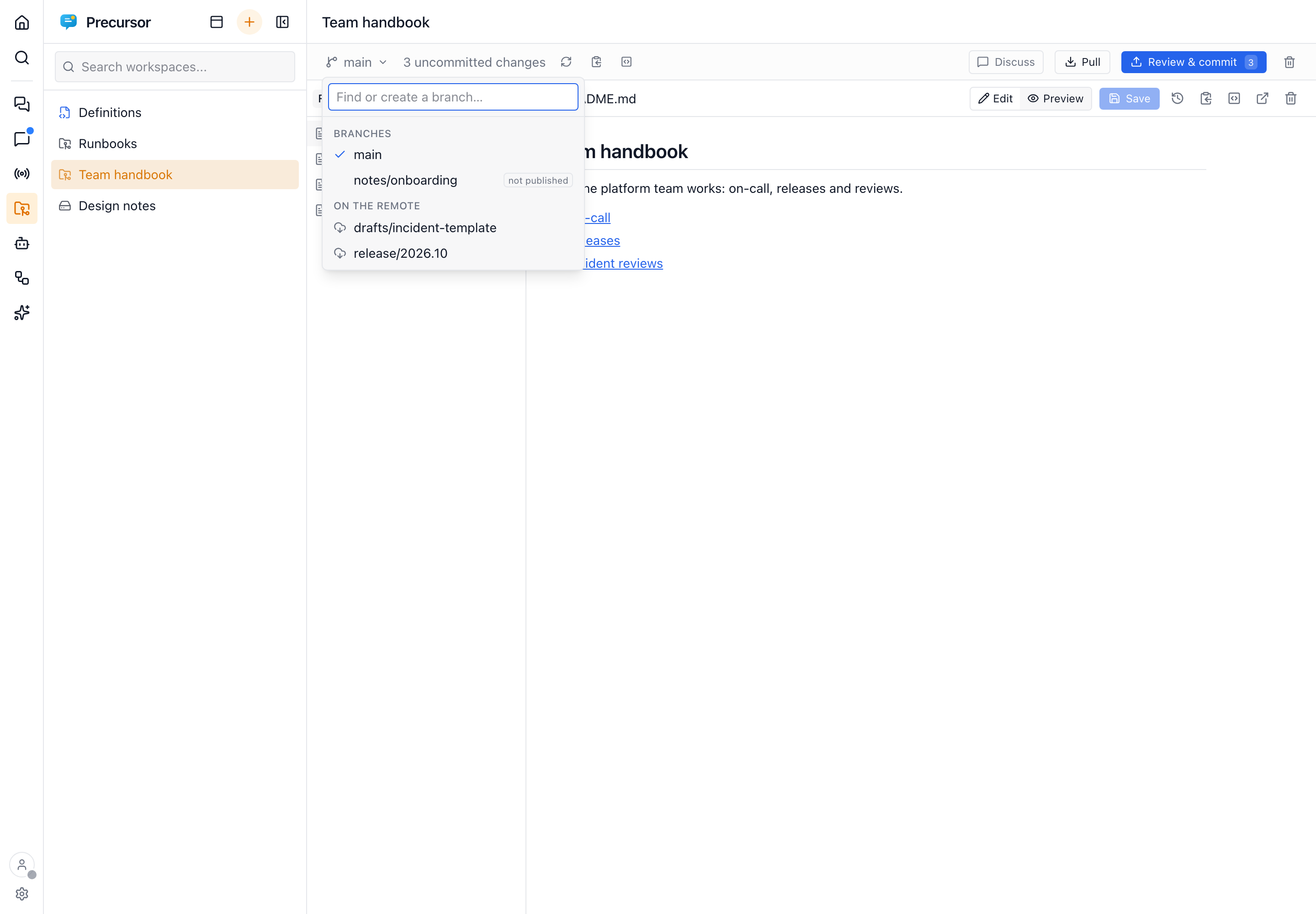
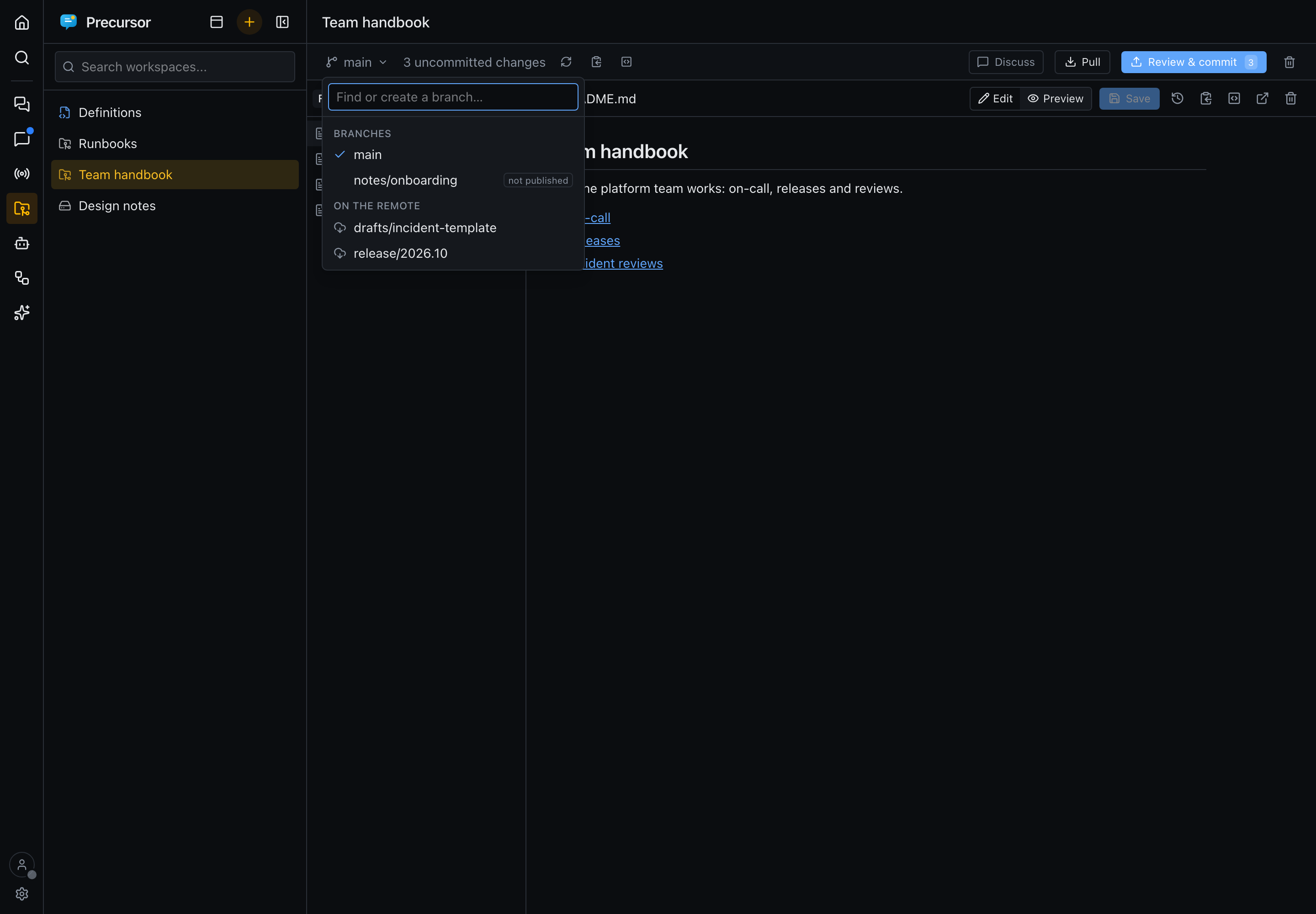
Switching never throws work away. It is refused while there are uncommitted changes (the message names the files), while a merge is in progress, or with no branch checked out. Commit, discard or move those changes first; Precursor never forces the switch or stashes them for you. New files that the other branch would overwrite stop it too.
If the file open in the editor has unsaved edits, you're asked before switching. After the switch the file is reloaded from the new branch, or closed if that branch doesn't have it. If the remote can't be reached, the picker still lists your local branches.
Merging and conflicts
When Pull (or Push) finds that the remote has commits yours doesn't, and yours has commits it doesn't, the bar offers Merge remote changes. It is refused, naming the files, while you have uncommitted changes: commit or discard them first.
- A clean merge records a merge commit. Push sends it.
- A conflict, where both sides changed the same lines, stops the merge. A Merge in progress bar stays up until you finish, and the Changes tab lists the conflicted files first. Committing single files is off meanwhile.
Click a conflicted file to see what happened, and your version beside the incoming one:
- Text conflicts: Resolve in the editor opens the file with each conflict tinted, yours in green and theirs in blue. Above each one, choose Accept current (yours), Accept incoming (theirs) or Accept both, or edit the text yourself. Each choice can be undone. Save, then Mark resolved. That is refused while a conflict is left in the saved file: a
<<<<<<<or>>>>>>>line, or a=======line between them. A Markdown heading underlined with=======is fine. - Binary files, and files one side deleted: these can't be merged line by line. Choose Keep yours or Keep theirs. Keeping the side that deleted the file deletes it. You're asked first, because the other side's changes to that file are dropped.
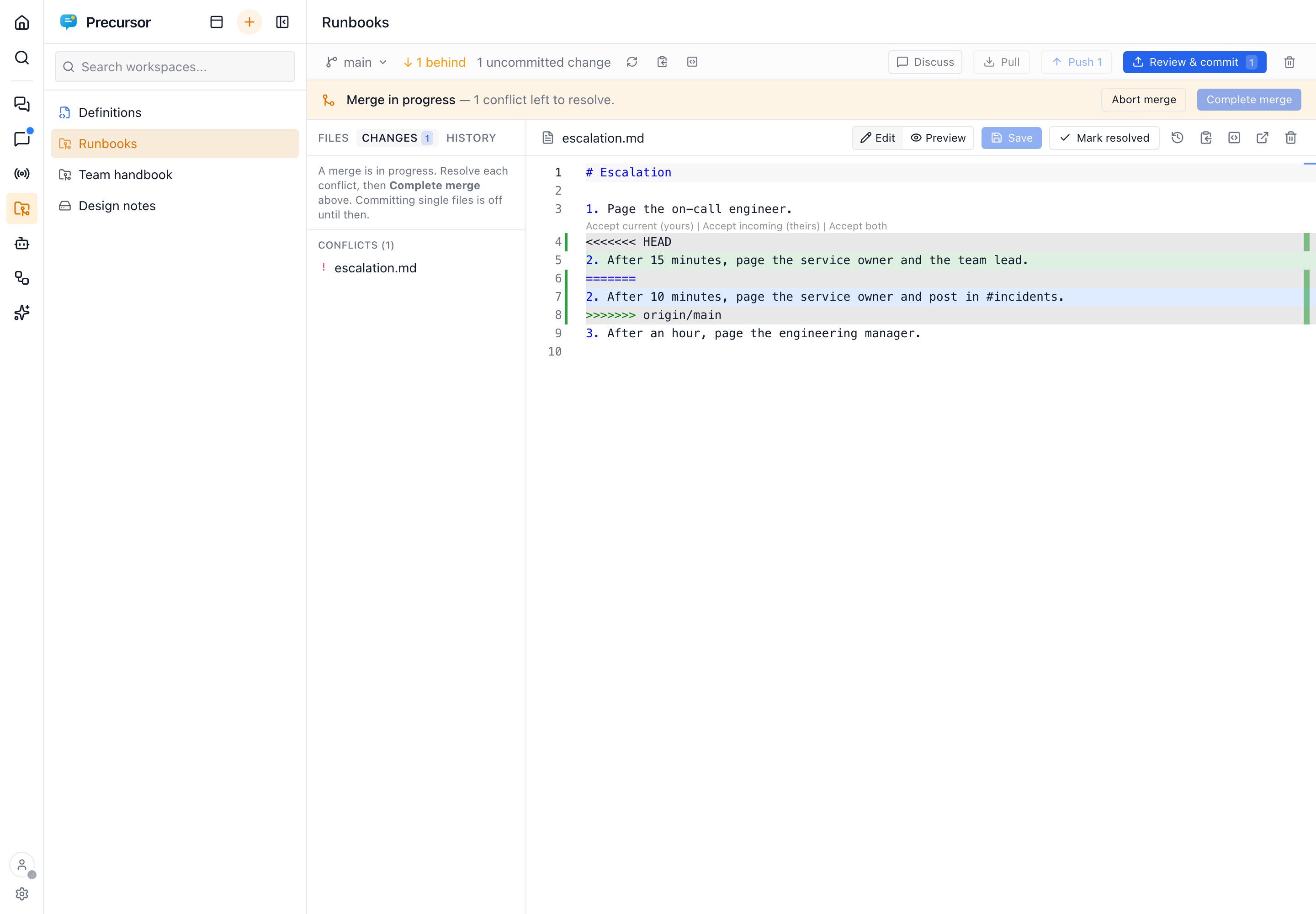
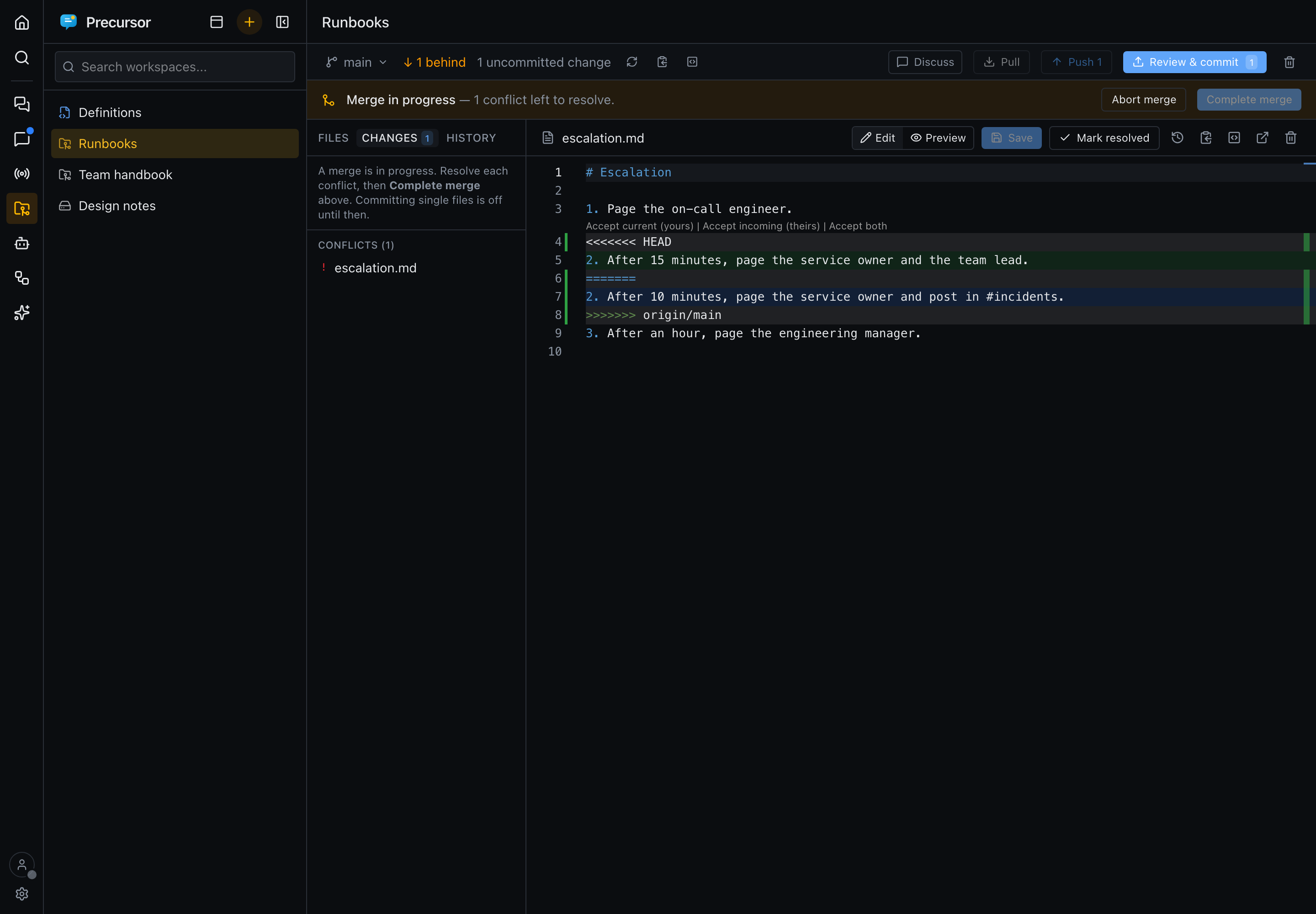
- Finishing: once no conflict is left, Complete merge records the merge commit.
- Backing out: Abort merge (after a confirmation) puts your branch and files back as they were before the merge.
The merge always runs as git merge, never git pull. It doesn't depend on your git settings (a rebasing pull, merge.ff, the conflict style or your editor), so it behaves the same everywhere.
Reviewing and committing
In a git workspace the left pane has three tabs:
- Files: the tree.
- Changes: every file that differs from the last commit.
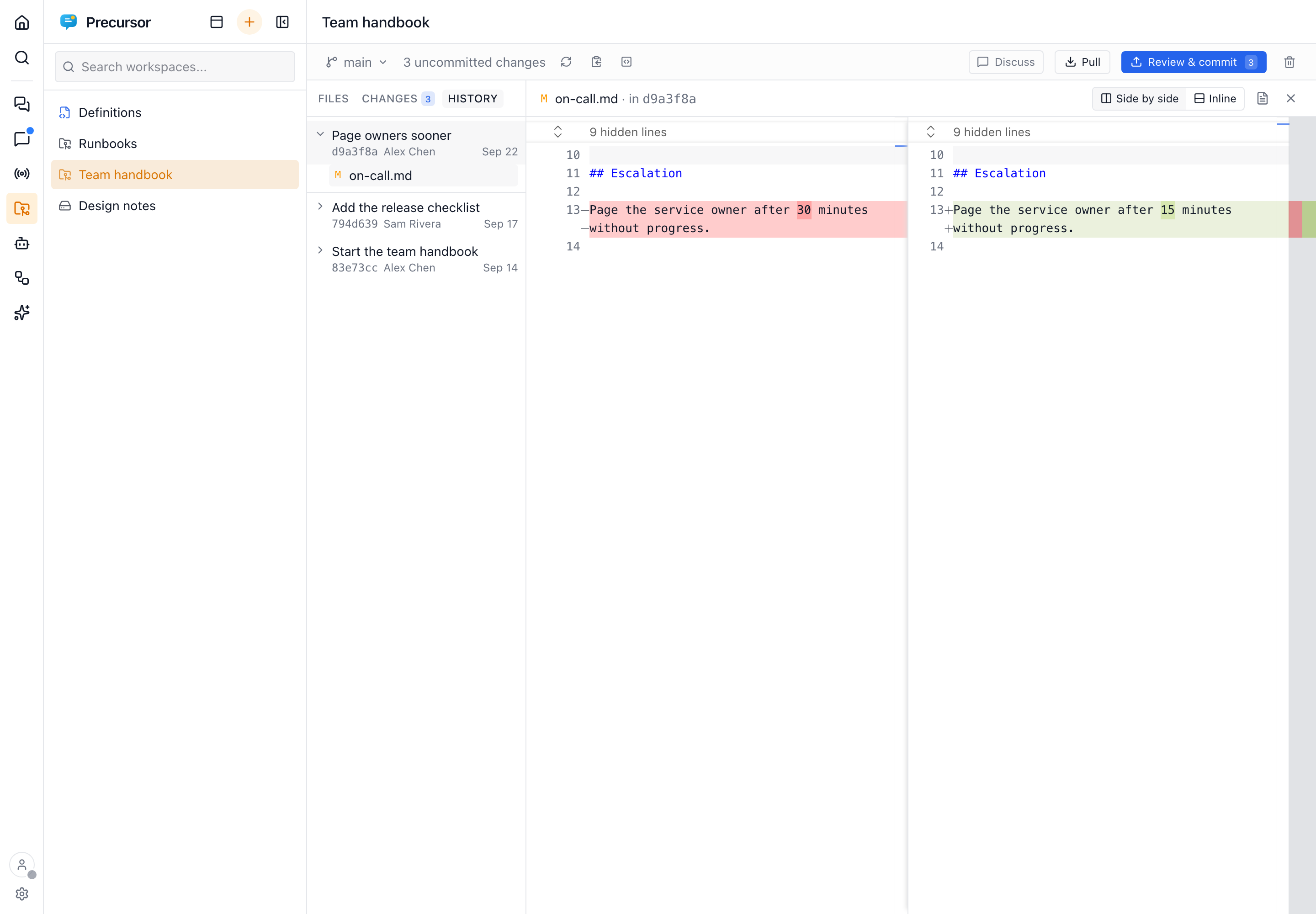
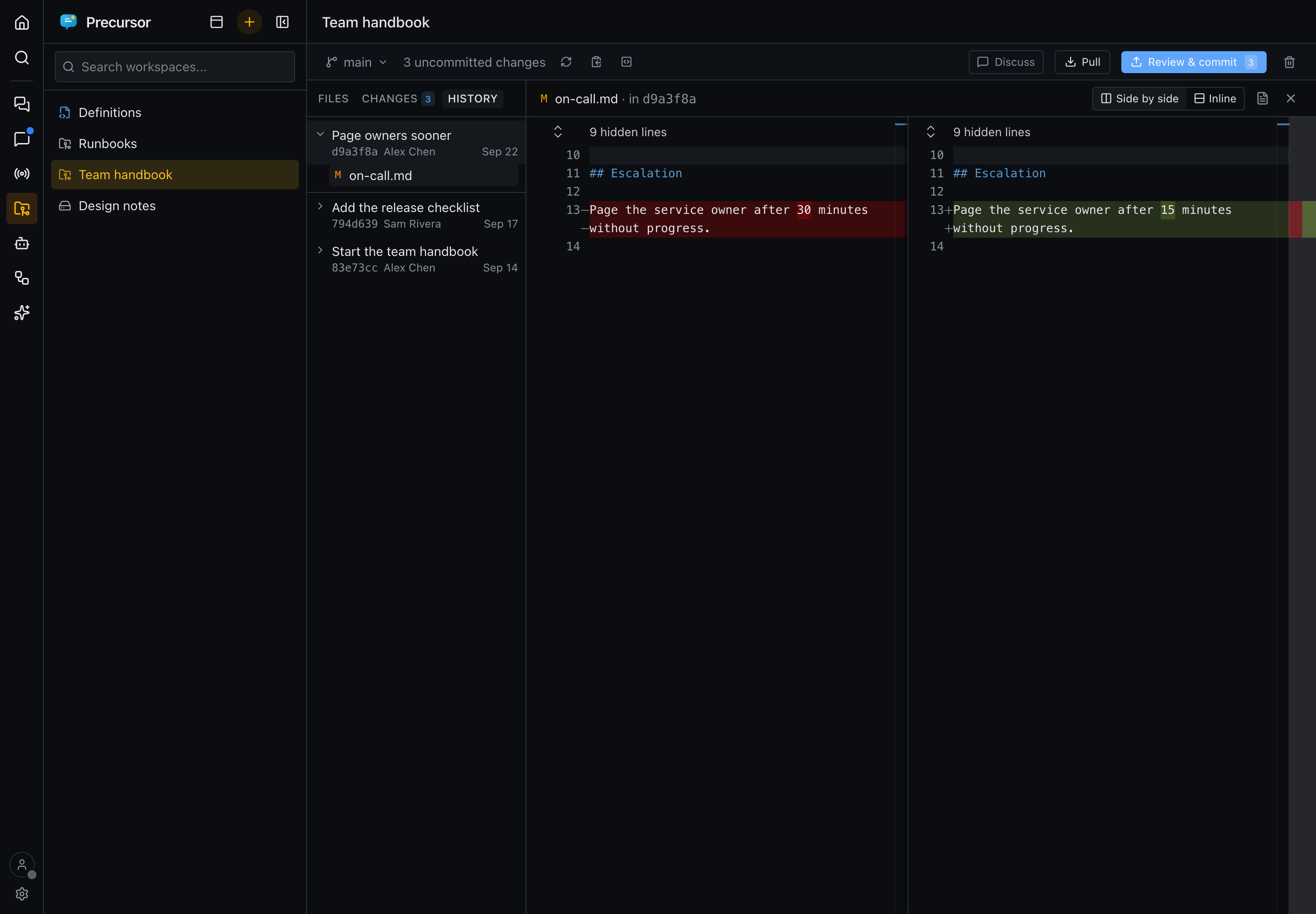
- History: the commits on the branch (see History).
Review & commit in the bar opens Changes, and the pane you last used is remembered. On a phone, what you had typed or opened in the pane is still there when you come back from a file or a diff.
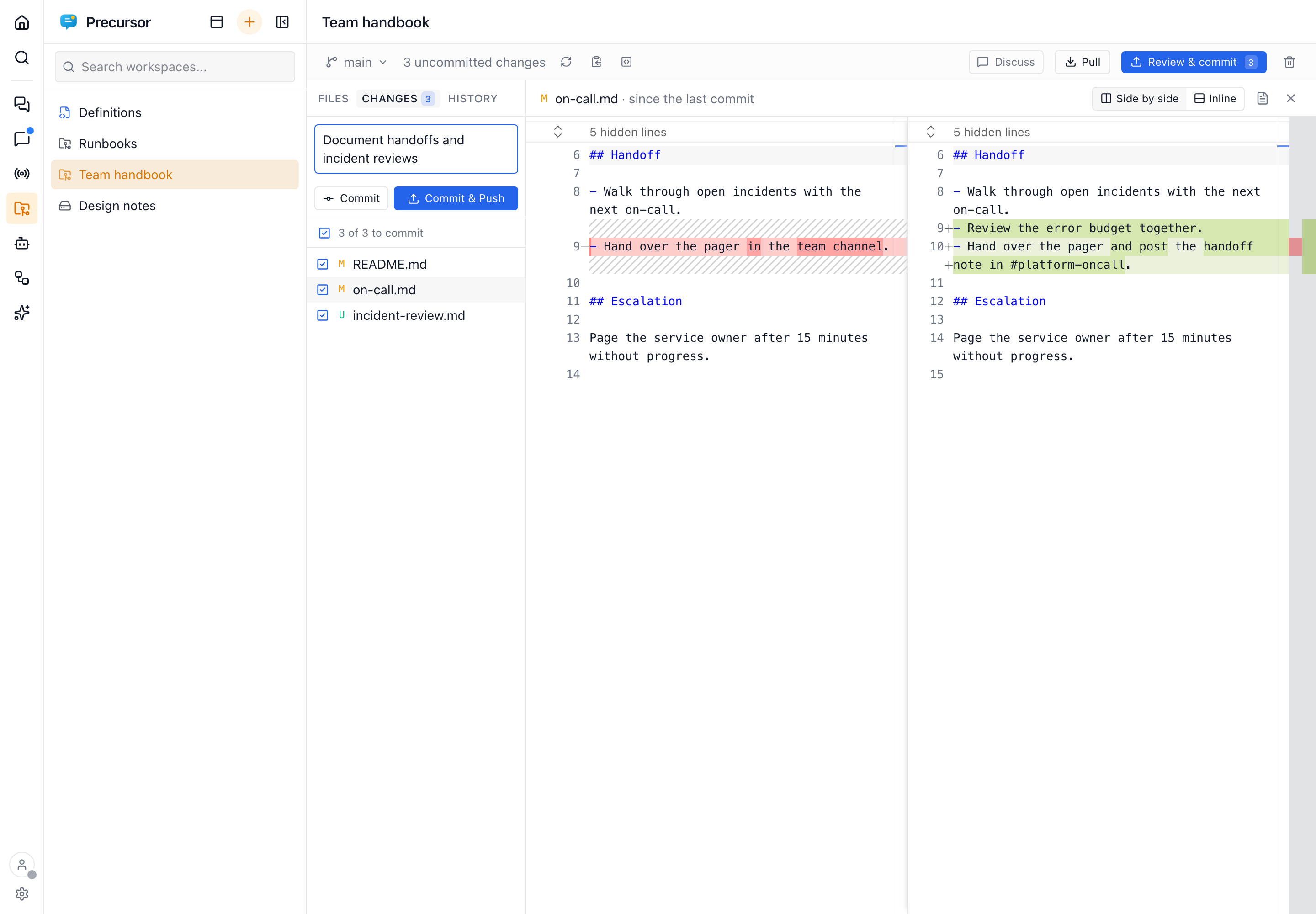
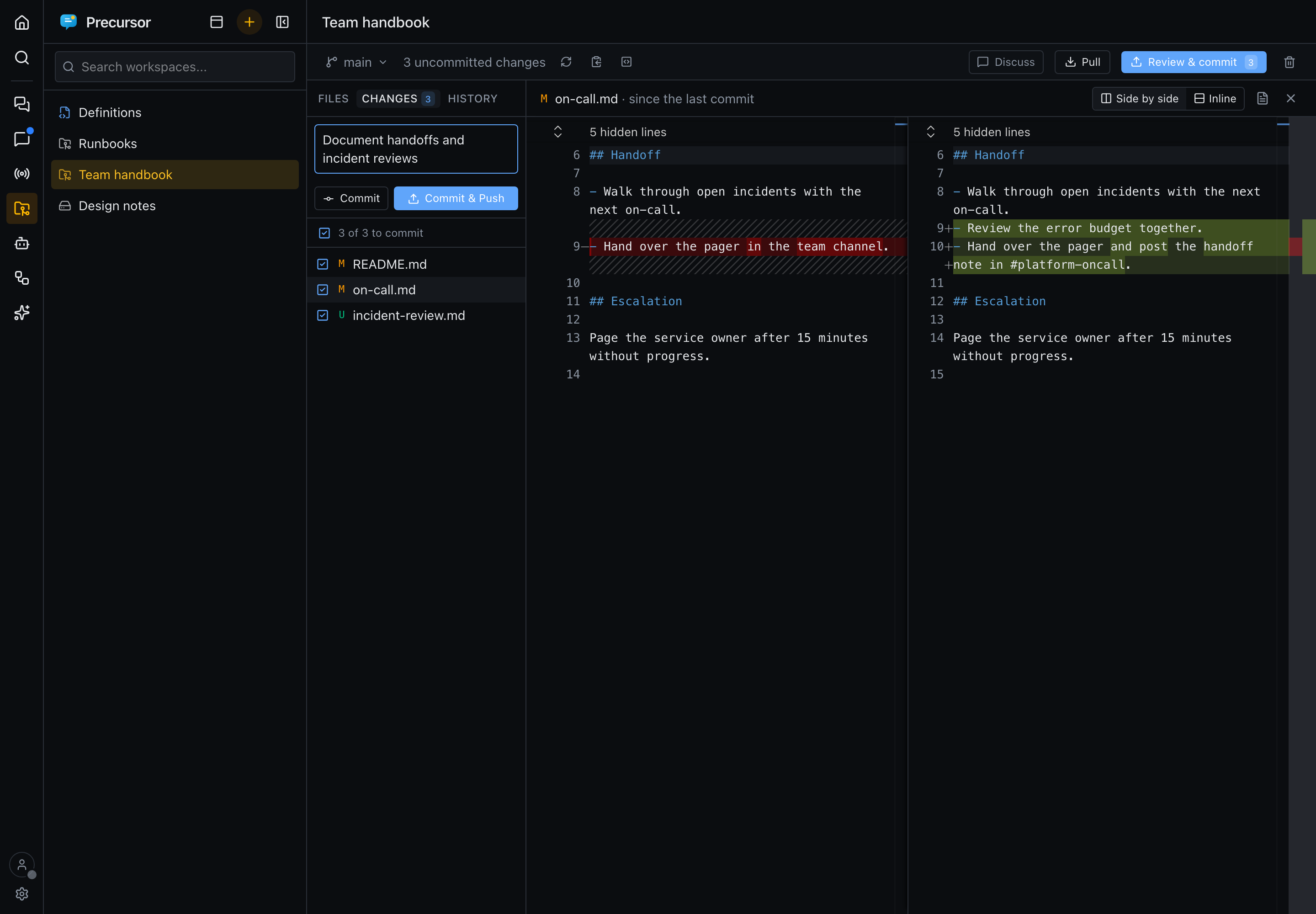
- See what changed: click a file to compare the last commit with your working copy in the editor's diff view, side by side or inline. On a phone it is always inline. The diff is read-only; the file icon opens the file for editing. Unchanged stretches of a long file are folded away.
- Choose what goes in: untick the files to leave out of this commit. They stay changed, for a later one.
- Commit records the ticked files in this working copy only (Cmd/Ctrl+Enter in the message box). Commit & Push also sends them.
- Discard (the arrow on a file) puts it back as the last commit has it, and asks first. A new file doesn't exist in the last commit, so discarding it deletes it. The confirmation says so and its button reads Delete file. Discarding a rename restores the old name.
While you edit a file in a git workspace, bars in the editor's margin mark the lines changed since the last commit: green for added, blue for modified, and a red wedge where lines were removed. They refresh when you open or save the file.
History
History lists the commits on the checked-out branch, newest first, with Load more for older ones.
- Opening a commit: a commit opens to its message and the files it changed. Click a file to see its diff against the commit before it.
- Merges: a merge is marked with an icon, and its files are compared with its first parent, the branch that was merged into.
- The first commit: it has nothing before it, so its files show as added.
- One file's history: File history (the clock beside an open file's name) narrows the list to the commits that changed that file, following it across renames. Opening one of those commits shows that file's change straight away. The cross beside "History of …" goes back to the whole branch.
The Definitions workspace
Once Agents mode is on — or as soon as you edit a summary template — the list starts with a built-in Definitions workspace: the folder that holds your definition files — agents and workflows (work in progress) and live summary templates. It can't be removed while it holds definition files, and the assistant's file tools can only read it. (It was called Agents & workflows before it held summary templates; it's renamed in place.)
Definition files get help while you edit them:
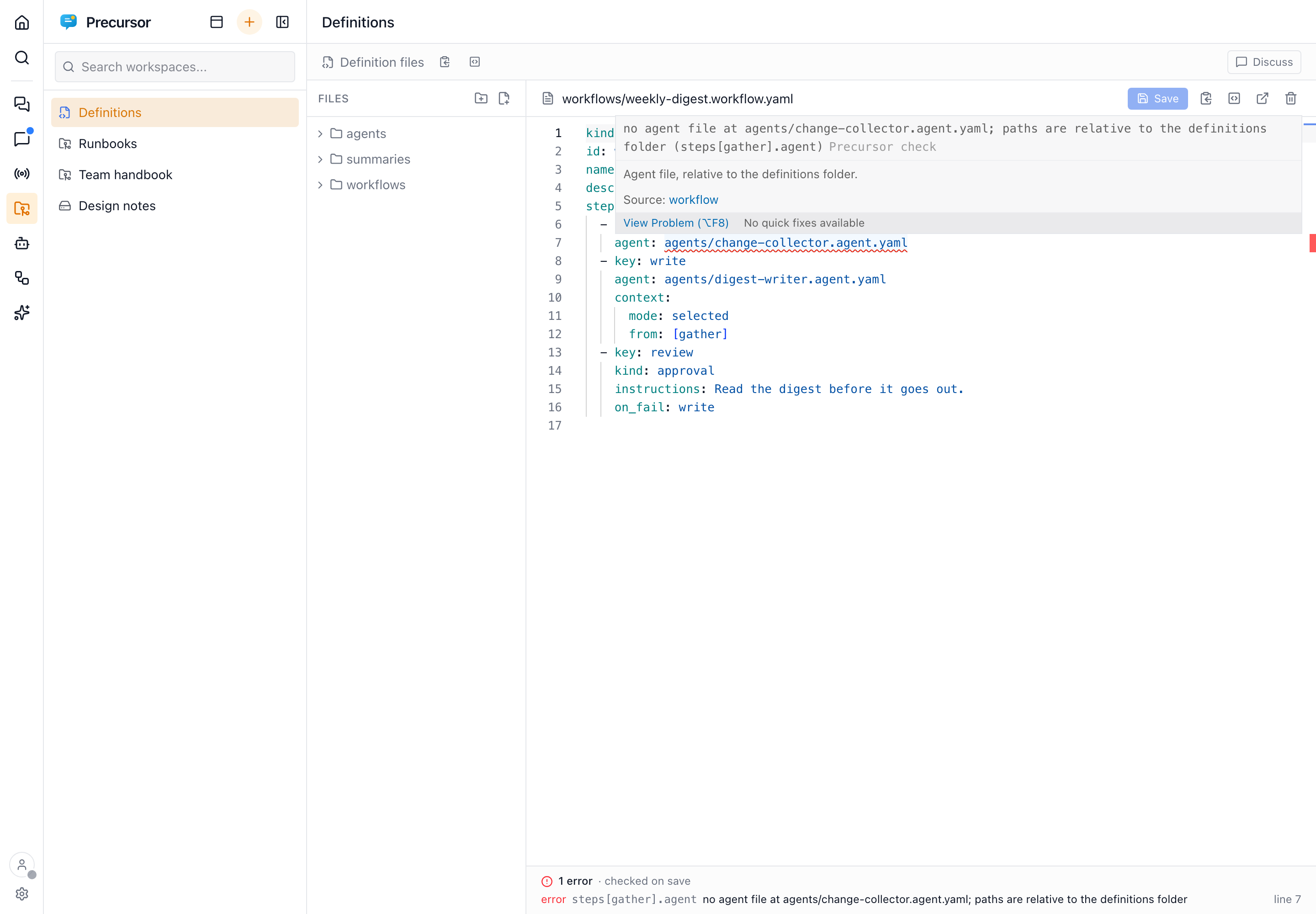
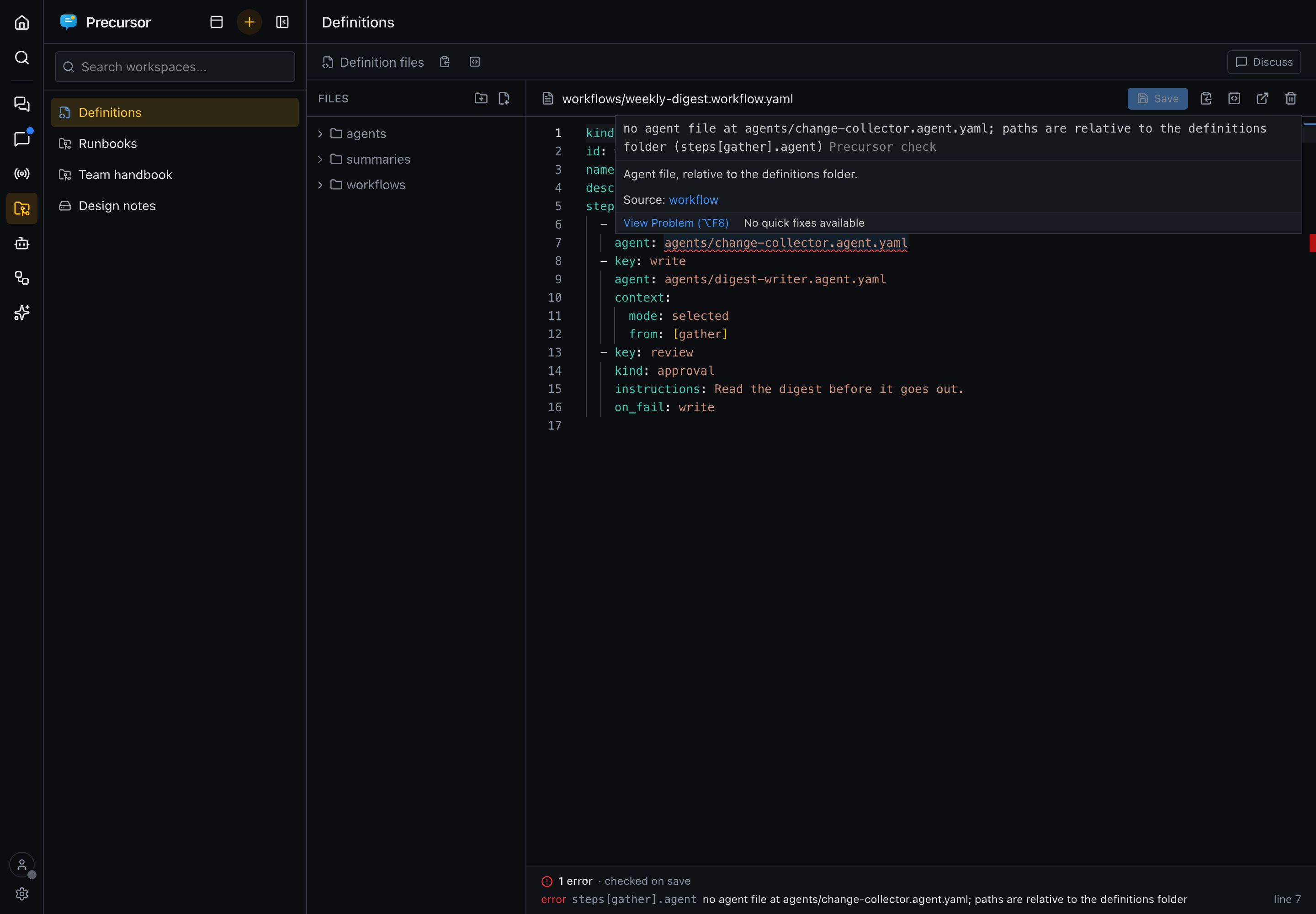
- As you type: the editor knows the file format, so it suggests keys (Ctrl+Space) and underlines unknown keys and wrong types. This works for any
*.agent.yaml,*.workflow.yamlor*.summary.yamlfile, in any workspace. - On save: in the definitions folder, the full check runs, including cross-file checks such as an agent path that points nowhere or a role this instance doesn't have. Its errors and warnings are listed under the editor and underlined in the file. Click one in the list to jump to its line.
The sandbox
Every file operation is routed through safe_join, which:
- rejects path traversal outside the workspace root, and
- blocks access to
.git.
The same sandbox backs the workspace tools of the precursor and the drawioMCP servers, so when the assistant reads, edits or diagrams files during a turn, it stays inside the jail.
Working with files
From the Files section you can browse the tree, open files, and view git diffs for changes. Combined with the command runner and the workspace tools of the precursor MCP server, this lets the assistant make and review changes to a repository as part of a conversation — while everything stays confined to the workspace root.
Markdown files get a rendered Preview, HTML files render in a sandboxed frame, and .drawio files open in a full diagram editor (below). Images (PNG, JPEG, GIF, WebP, BMP, ICO, AVIF) are displayed scaled to fit, and PDFs open in the browser's built-in viewer; both are view-only.
Hover a folder in the tree for its actions: New file, New folder, and Delete folder, which removes the folder with everything in it once you confirm by typing its name (a Copy button in the dialog saves retyping it). The confirmation says how many files go, and whether they can come back: in a git workspace, committed files can be restored from Changes until you commit; anywhere else, deleting can't be undone. A folder that holds your agent and workflow definition files can't be deleted, and a symlinked folder loses only the link, never what it points to.
Removing a whole workspace (the trash icon in its header bar) asks the same way: you must type the workspace's name, with a Copy button, before Remove workspace becomes available. For a local workspace this deletes its folder; for a git workspace it deletes the local working copy and leaves the remote alone.
The editor
Files open in Monaco, the editor core of VS Code:
- Highlighting and editing: syntax highlighting, find and replace (Cmd/Ctrl+F), multiple cursors, folding, and the command palette (F1).
- Saving: Cmd/Ctrl+S saves.
- YAML and JSON: these files are checked as you type, and a syntax error is underlined where it is.
- Previews: switching a Markdown, HTML or diagram file to Preview and back keeps your undo history, cursor and scroll position.
The editor follows the app's light or dark theme, and works on phones too.
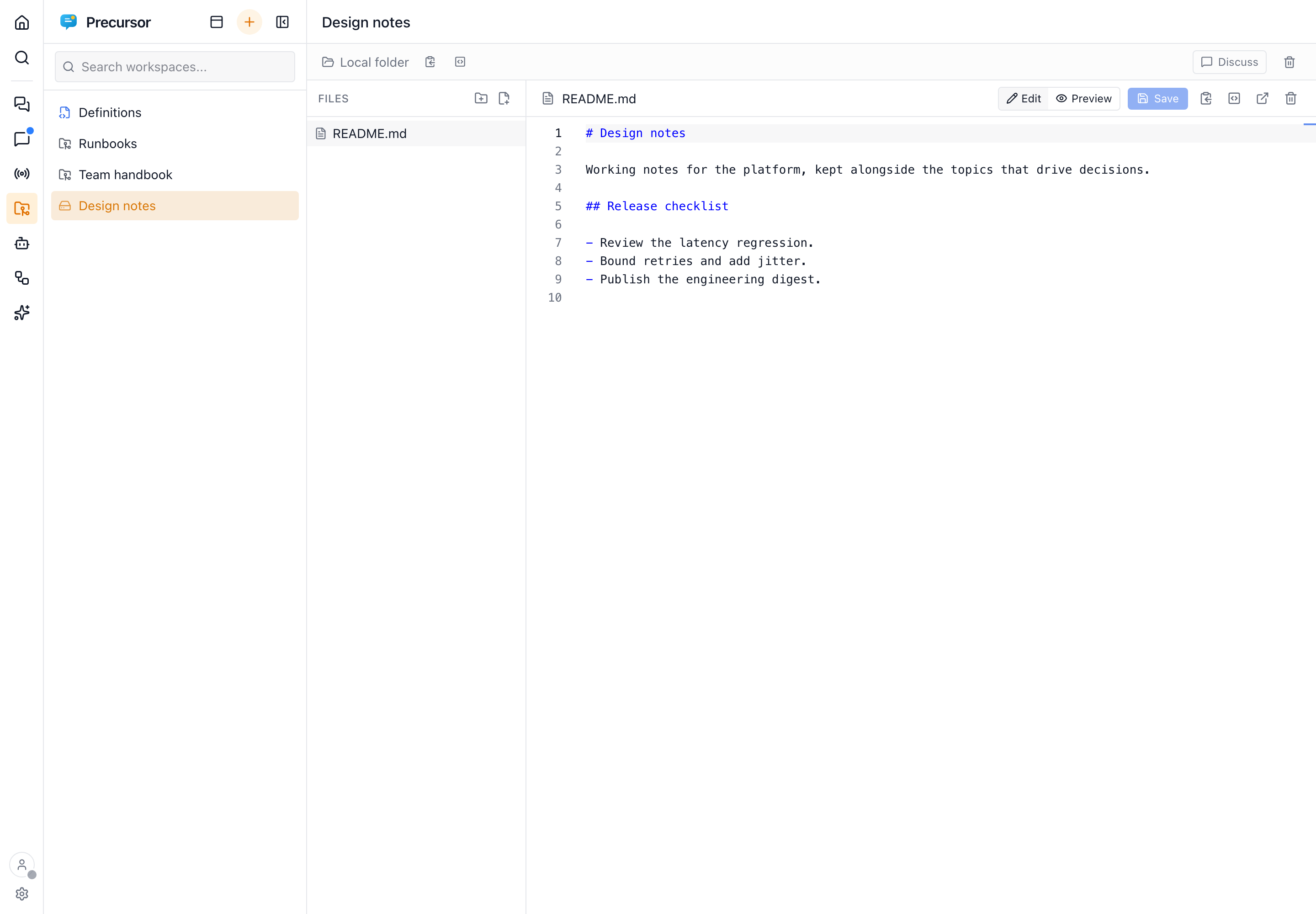
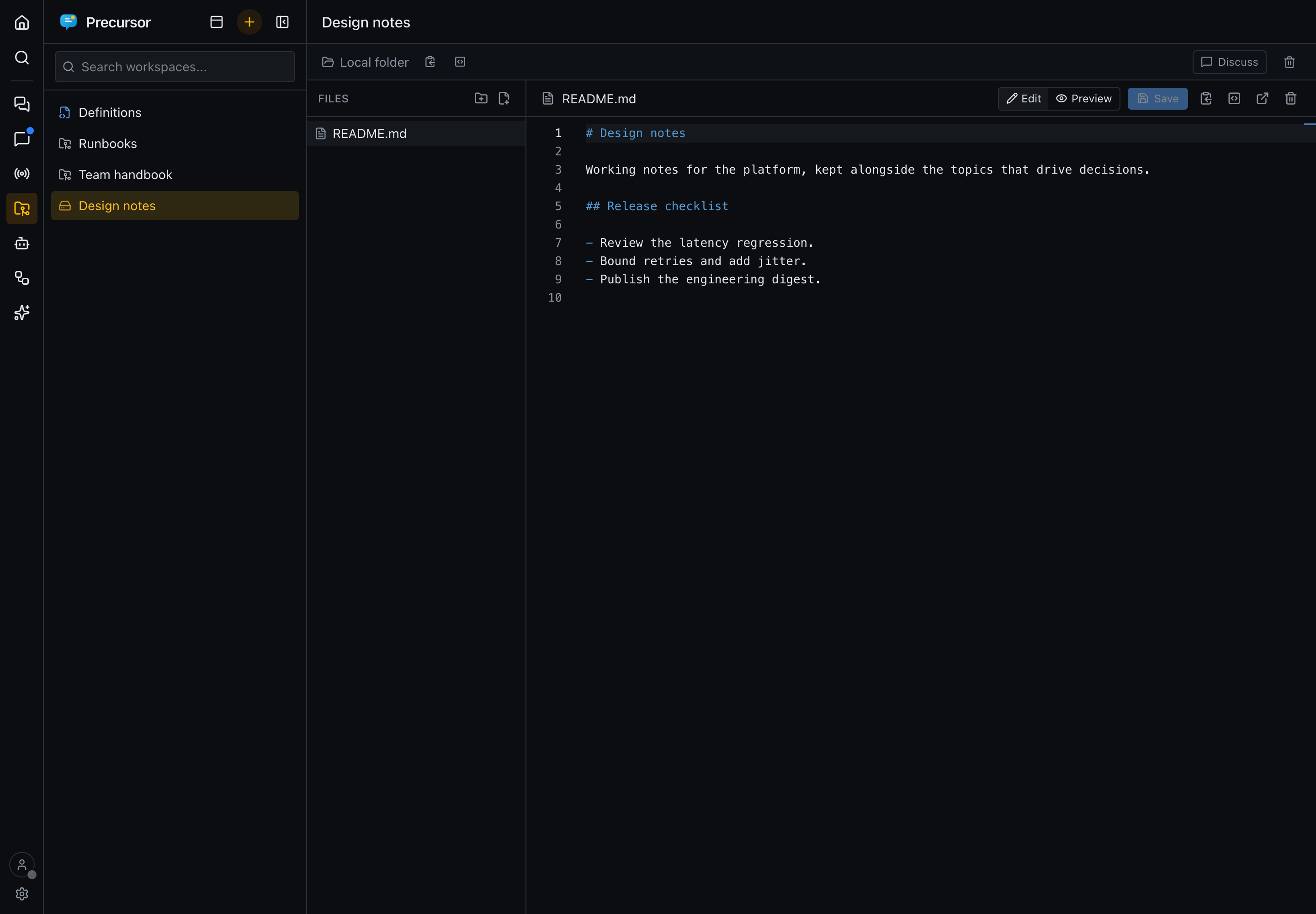
Monaco only downloads the first time you edit a file, so opening Precursor stays as fast as before.
Opening in VS Code
When a change is easier to make in a full editor, Open in VS Code hands it over:
- the button beside an open file's path opens that file;
- the one in the workspace bar opens the whole working copy as a folder.
Both are vscode://file/… links to the server's copy. They only work when VS Code runs on the same computer as Precursor, which is the usual local setup. Changes you save there appear in the Files section and in the git status like any other edit.
Copy local path gives the same absolute path, including a workspace's subdirectory.
Discussing a workspace
The discussion panel is hidden until you press Discuss in the workspace header. It isn't a separate assistant: it renders a real chat or topic beside the files, so everything those surfaces do — history, tools, approvals, rewind, stop, roles — works the same, and a chat you start here shows up in Chats like any other.
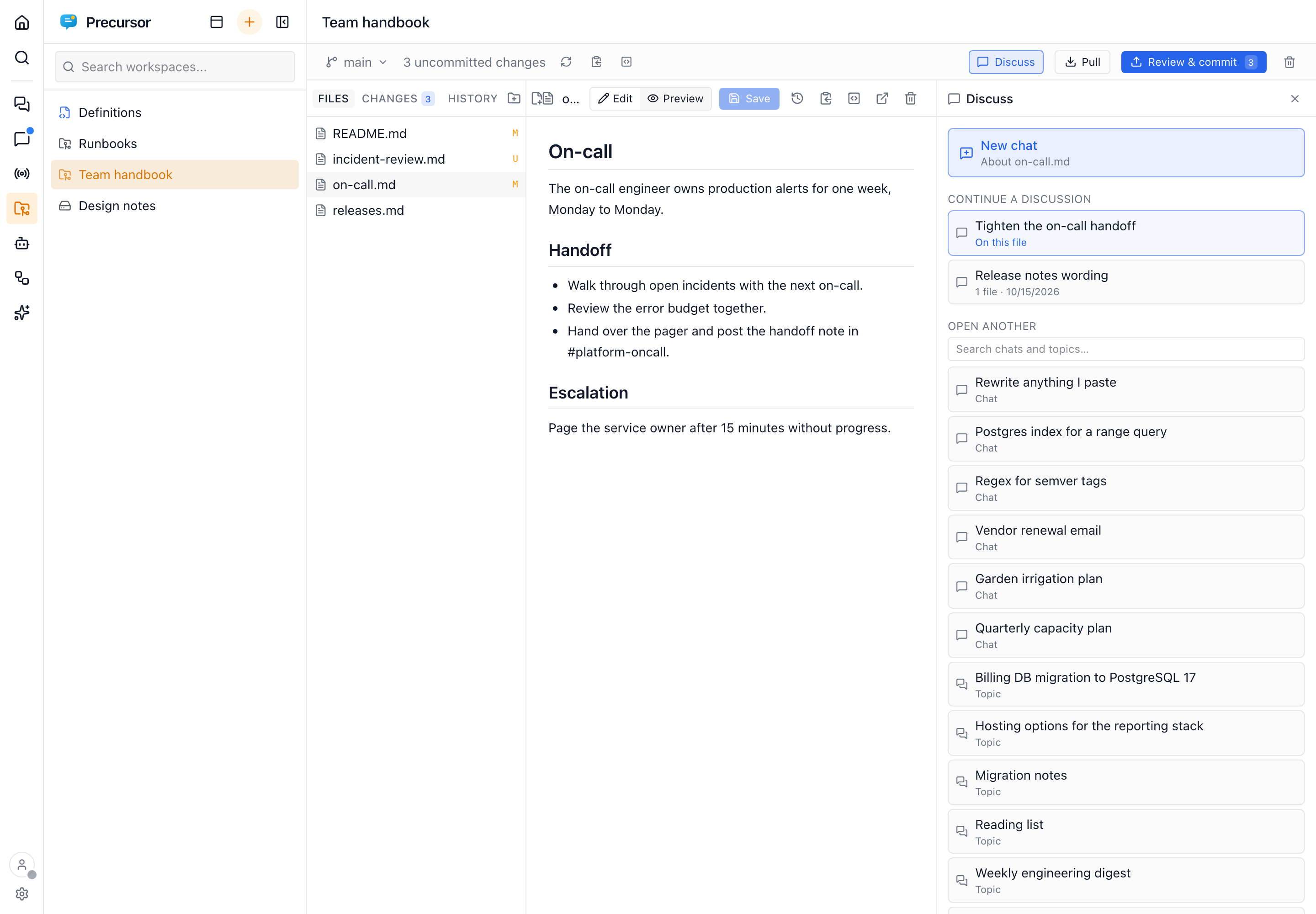
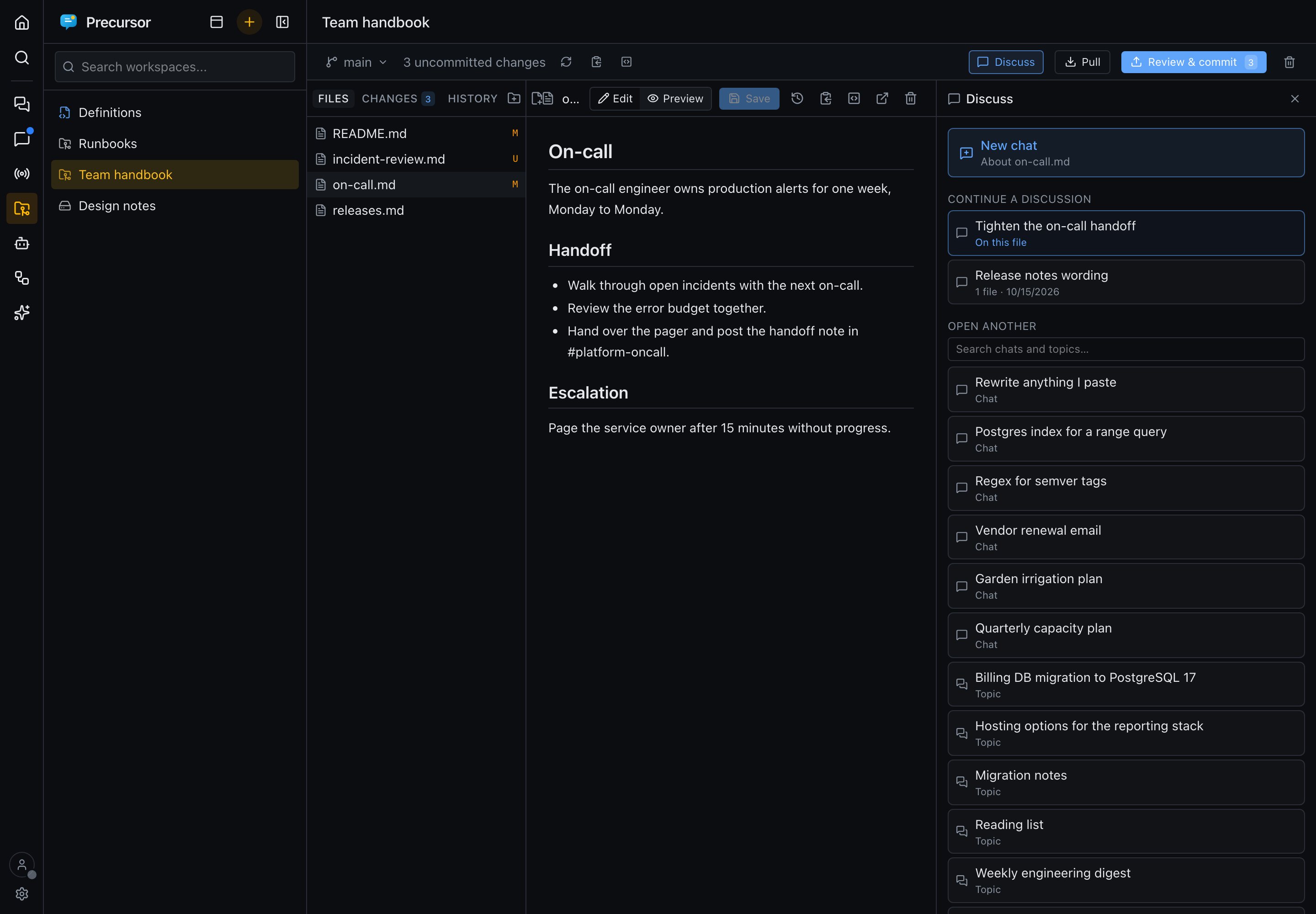
The picker offers:
- New chat — a fresh chat about the open file.
- Continue a discussion — the chats and topics that already attach files from this workspace, those attached to the open file first. Archived chats are left out.
- Open another — search any chat or topic and bring it in. One discussion is open at a time; Switch returns to the picker.
Opening a discussion attaches the file you are viewing to it, and it keeps attaching whichever file you move to while it is open. The open file also rides along on each turn, so the model knows what "this" means. The address carries the discussion (/ws/<slug>/<file>?chat=<chat> or ?topic=<id>), so a reload, a shared link and Back all land on the same view; closing the panel removes it.
Drag the panel's left edge to resize it (320–800 px, at most 65% of the window). The width is remembered per browser. On narrow screens the panel is a full-width overlay and has no handle. When the panel is too narrow for the composer's pickers, it switches to its compact mode.
Artifacts
Every file a conversation attaches is one of its artifacts. They are listed in the Artifacts section of the stats area on the right of a chat or topic (under the reminder), with a count on the collapsed rail.
- A file the assistant creates or modifies through the workspace tools is attached automatically, from a chat, a topic or the workspace panel. Reading a file never attaches it.
- Attach adds one by hand; the detach button removes the link without touching the file.
- Clicking an artifact opens the workspace on that file with the conversation beside it.
- Links follow the path. A file that is renamed or deleted stays listed, marked missing.
Jumping from a conversation to the file
When the assistant touches a file in a workspace — a diagram via the drawio MCP server, or any file via the precursor workspace tools — the tool call in the transcript carries an Open chip naming it. That holds in a chat or a topic, including one opened beside a workspace. One click switches to the Files section with that file already open, so a diagram produced (or merely inspected) mid-conversation doesn't have to be hunted down in the tree. Browser Back returns to the discussion.
This covers reads as well as writes: read_diagram and read_file link to what they read, which is handy when the assistant quotes a fragment and you want the whole thing — or when the read was truncated.
A failed call, a folder, or a path that can't be turned into a safe route carries no link — so a chip never points somewhere unexpected.
Editing diagrams
A .drawio file — whether you drew it yourself or the assistant authored it with the drawio MCP server — opens in an embedded draw.io editor, with an XML / Diagram toggle to drop down to the raw mxGraph source. Edits stream back into the same buffer as any other file, so the usual dirty marker, Save, and git diff apply unchanged.
The editor follows the app's light or dark theme. Change the theme in Settings and an open diagram reloads in the new one, keeping your unsaved edits (draw.io's own undo history starts over). To change only the diagram, use the sun/moon button in the file header: it switches the editor between light and dark and leaves the rest of the app alone. Your choice is remembered for every diagram. Switching back to match the app theme makes the editor follow the app again.
The editor is self-hosted: Precursor serves its own copy of the draw.io webapp at /drawio/, and the frame runs with offline=1&stealth=1, so diagram content never reaches diagrams.net or any other external origin — and editing keeps working with no network at all.
That copy is not bundled in the wheel (the release is ~53 MB, ~150 MB extracted). The first time you open a diagram, the Files pane offers a one-time install that downloads the pinned release into <data_dir>/drawio/<version>/. Set PRECURSOR_DRAWIO_VERSION to pin a different release, or PRECURSOR_DRAWIO_DOWNLOAD_URL to fetch it from an internal mirror — see configuration. Superseded versions are removed when a new one installs.
See the architecture reference for the data model.