
Plugins
Precursor is intentionally small. Anything that isn't part of "topics, chat, GitHub" is meant to live in a plugin — and a plugin is just one Python package you install.
The Kanban board is the first official one and the reference implementation: it ships from its own repository, precursor-kanban, as its own distribution with its own routes, schemas, MCP tools, frontend and release cadence.
What a plugin can bring
| 🧩 A whole section | Its own entry in the sidebar rail, a card on the home launcher, a ⌘K entry and a top-level route — with UI it ships itself. |
| 🔌 MCP tools | Its own tool server, joining the same catalogue and toggles as the built-ins, so the assistant can use it. |
| ⚙️ Its own settings page | An entry in the Settings modal under a Plugins group, backed by a namespaced store core never reads. |
| 🛠 API routes | FastAPI endpoints mounted under /api/<plugin>. |
Install the package, restart, and all three appear. Uninstall it and they all go — there is no leftover half-feature in the sidebar.
Finding one
Settings → Plugins opens with an Available list: the plugin catalogue, a curated directory of plugins we know about, each with a one-click Install.
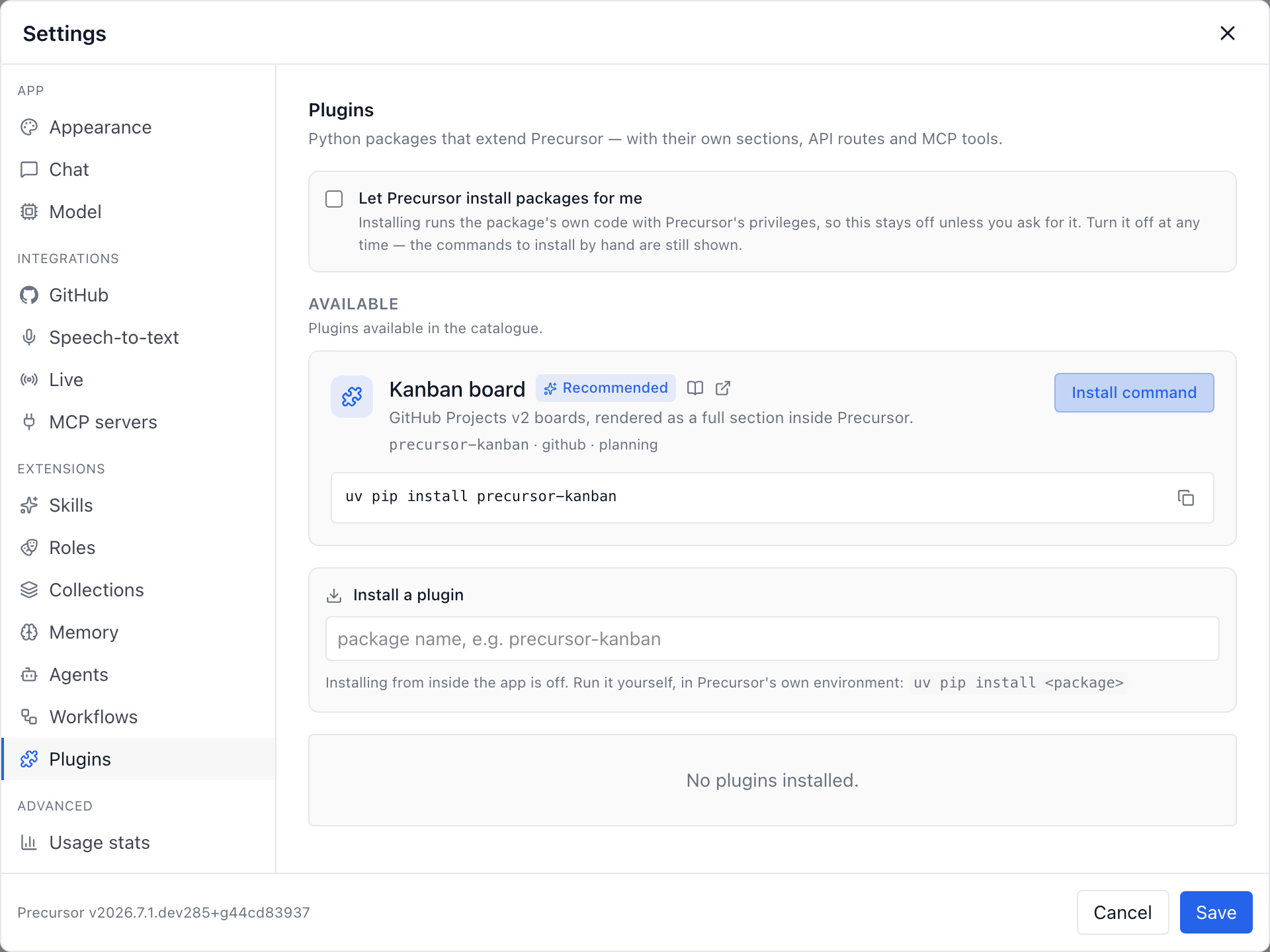
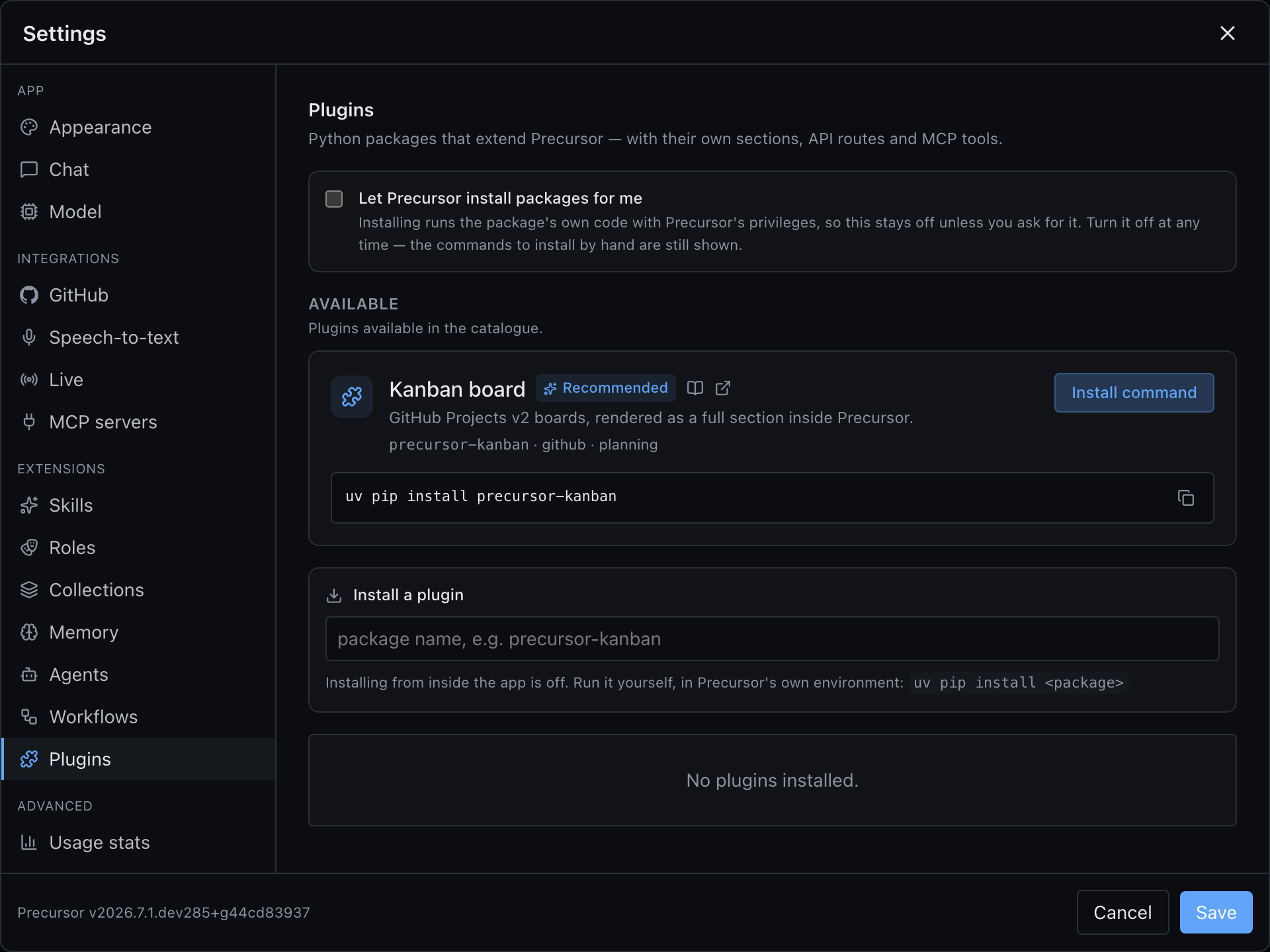
The catalogue is bundled with Precursor rather than fetched — it needs no network, adds no failure states, phones nothing home, and every entry was reviewed in a pull request before it shipped. The trade is that a newly listed plugin arrives with the next release.
An entry only ever supplies a bare PyPI project name and, optionally, the GitHub repository its releases come from; anything else expressing a location (a URL, a path, an @ requirement) is refused when the catalogue loads. That is deliberate: without it, a merged pull request would be code execution on every machine that opened the panel. The catalogue is a shortcut to a package name, never a second, laxer way to install — the button calls exactly the same gated endpoint as typing the name yourself.
Written a plugin? Get it listed — it's one file and one pull request.
Installing one
Settings → Plugins lists everything installed, what each contributes, and any load error. You can install a package, toggle it, uninstall it, and restart from there.
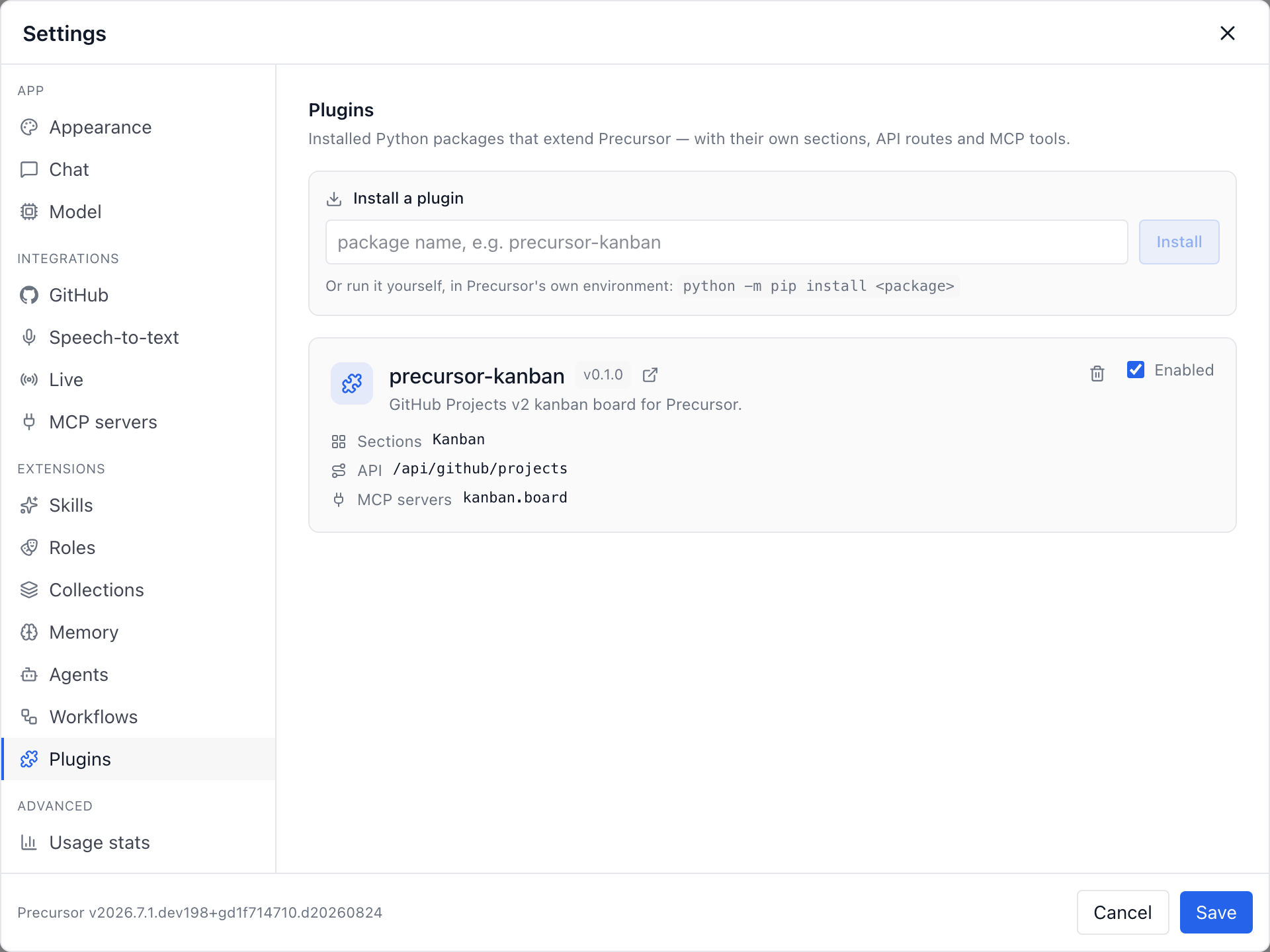
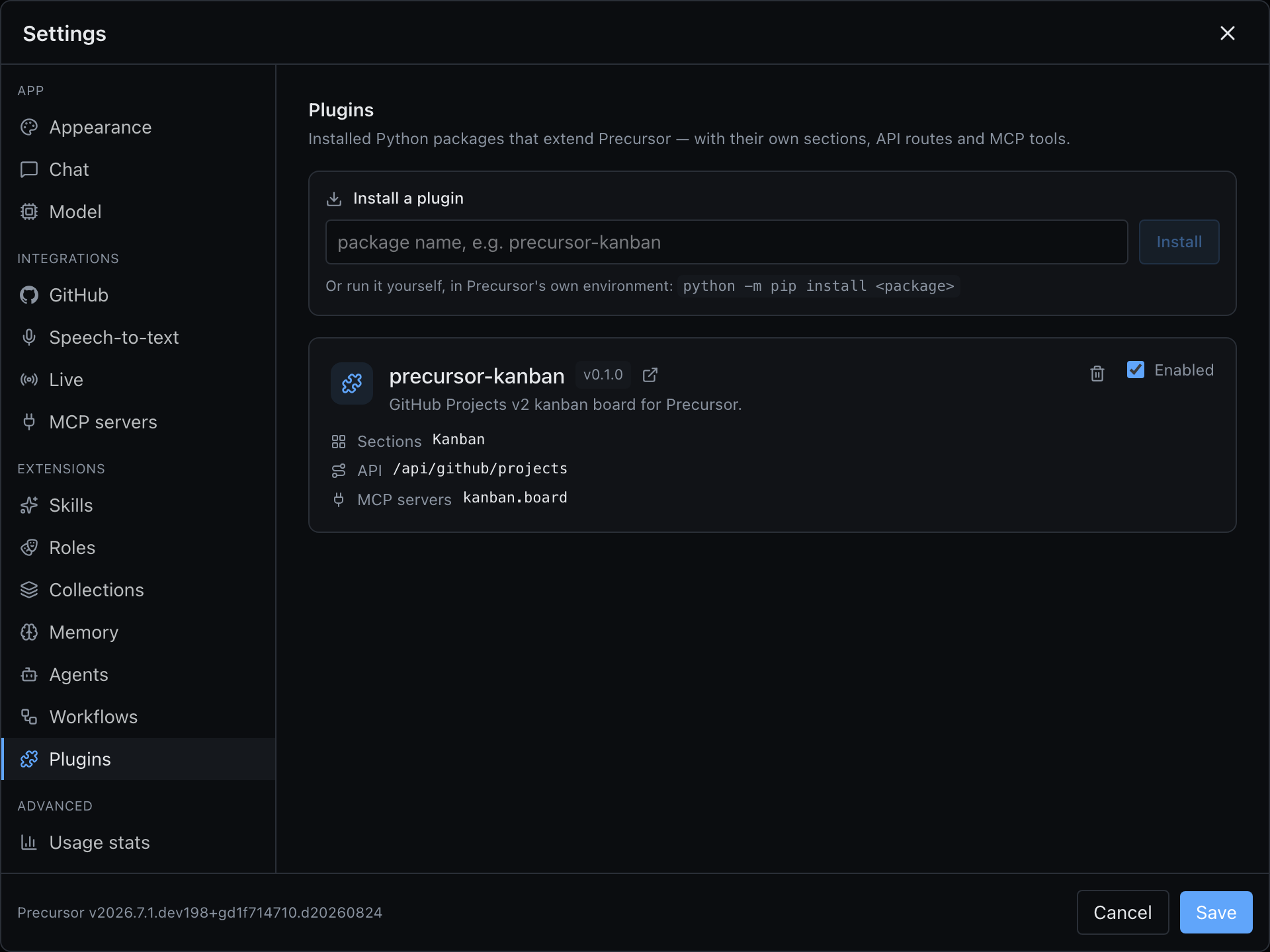
Anything can be installed whether or not it is in the catalogue — type into the box:
- a package name, installed from your package index;
- a GitHub repository link (
https://github.com/owner/repo), installed from the wheel attached to one of its releases. A plugin's frontend is a build product, so a release has to carry a built wheel — a plain source checkout would install without its UI; - or any other requirement your installer accepts.
For a name or a repository, the box looks the releases up as you type: the newest one shows up before you commit, and a version picker installs any other. Or do it from a terminal, into the same environment as Precursor:
uv pip install 'precursor-kanban>=2026.9.2'The panel shows the command that works for your install — a uv tool install lives in an isolated environment that pip install silently fails to extend, so Precursor detects which installer owns the instance rather than guessing.
Why the restart
Entry points are resolved once at startup and routes are mounted while the app is built, so a package imported into the live process would be only half installed. Precursor runs the installer out-of-process and offers a Restart now button. Disabling, by contrast, is instant. A disabled or uninstalled plugin's MCP server stops being offered to the assistant, but its on/off switch is remembered, so it comes back as you left it when the plugin does.
Installing is opt-in
Installing a package runs its code with Precursor's privileges, and the app has no authentication of its own — so the in-app installer is off by default, only answers requests addressed to Precursor's own localhost address, and has to be switched on at the top of the panel. That switch stays visible once granted, so you can withdraw the permission as easily as you gave it. Listing and toggling plugins is always available; so is running the command yourself.
On Windows, install with Precursor stopped
Windows won't replace files a running program holds open, and a uv tool install is rebuilt as a whole — so a running Precursor can't reinstall itself there. The panel shows the command instead of an Install button: run precursor service stop, the command, then precursor service start.
Versions and upgrades
Plugins version independently of Precursor. Each one is checked against the place it was installed from — PyPI, or its GitHub repository's releases — and never against a version core happens to require, so a plugin can ship, and you can take it, on its own cadence.
- Latest means the newest release that source publishes. From PyPI it is installed as a floor (
precursor-kanban>=2026.9.2), not a bare name: if your package index hasn't caught up with PyPI, or that release doesn't fit this Precursor, the install fails rather than quietly settling for an older one. Pick another version, or the GitHub source, from there. - A chosen version is pinned (
==2026.9.1), and stays pinned — through upgrades of other plugins and throughprecursor service update— until you choose another. That is the way around a newest release that doesn't work for you yet. Upgrading to Latest lifts the pin. - The Installed list says when a newer release exists — Check for updates asks again — and offers Upgrade plus an Other version picker to move to any release, older ones included. With the in-app installer off, it shows the command instead.
- An upgrade moves that plugin only. Precursor and every other plugin are restated exactly as they are. With
uv piporpip, Precursor's own requirements are passed as constraints, so a plugin release that needs, say, an older MCP SDK fails to install instead of downgrading it underneath the app.
A plugin installed from a path or an arbitrary URL has no list of releases, so it shows as local and is upgraded by reinstalling it.
How the UI works
This is the part that makes a plugin feel native rather than bolted on. A plugin's frontend is a separate bundle shipped inside its Python wheel, which Precursor serves and the app imports at runtime.
The catch is that there must be exactly one React on the page — a second copy would break every hook a plugin calls. So plugin bundles leave react, react-dom, react/jsx-runtime and @precursor/host external, and an import map points all of them at the host's own runtime module. A plugin gets the app's React and its SDK — the HTTP client, shared components, the section registry — without vendoring any of it.
Writing one
# my_pkg/plugin.py
from precursor.plugin_api import PluginRegistry


def register(registry: PluginRegistry) -> None:
    registry.add_router(router)
    registry.add_section(id="my-plugin", title="My section")
    registry.add_settings_page(title="My plugin")
registry.add_mcp_server(name="tools", module="my_pkg.mcp_server")// web/src/index.tsx
import { registerSection } from "@precursor/host";
registerSection({ id: "my-plugin", label: "My section", Sidebar, Main, /* … */ });Import from precursor.plugin_api, not precursor.backend.*: it's the surface we keep stable, and it hands you async database sessions, settings, the GitHub client and its shared guards so a plugin behaves exactly like core does.
The full contract — SectionHost, the SDK's exports, the build settings, the MCP server shape — is in the plugin reference.
Stability
Sections, MCP servers and runtime-loaded UI are wired end-to-end and exercised by the kanban plugin. Narrower extension kinds (panel, message-renderer, settings-tab, topic-action) are designed but their mount points are still being wired — see the reference.