
Scheduler & reminders
Precursor runs an in-process scheduler that drives recurring topics and scheduled agents, plus one-shot reminders that resurface a topic at a set time.
Recurring topics and agents
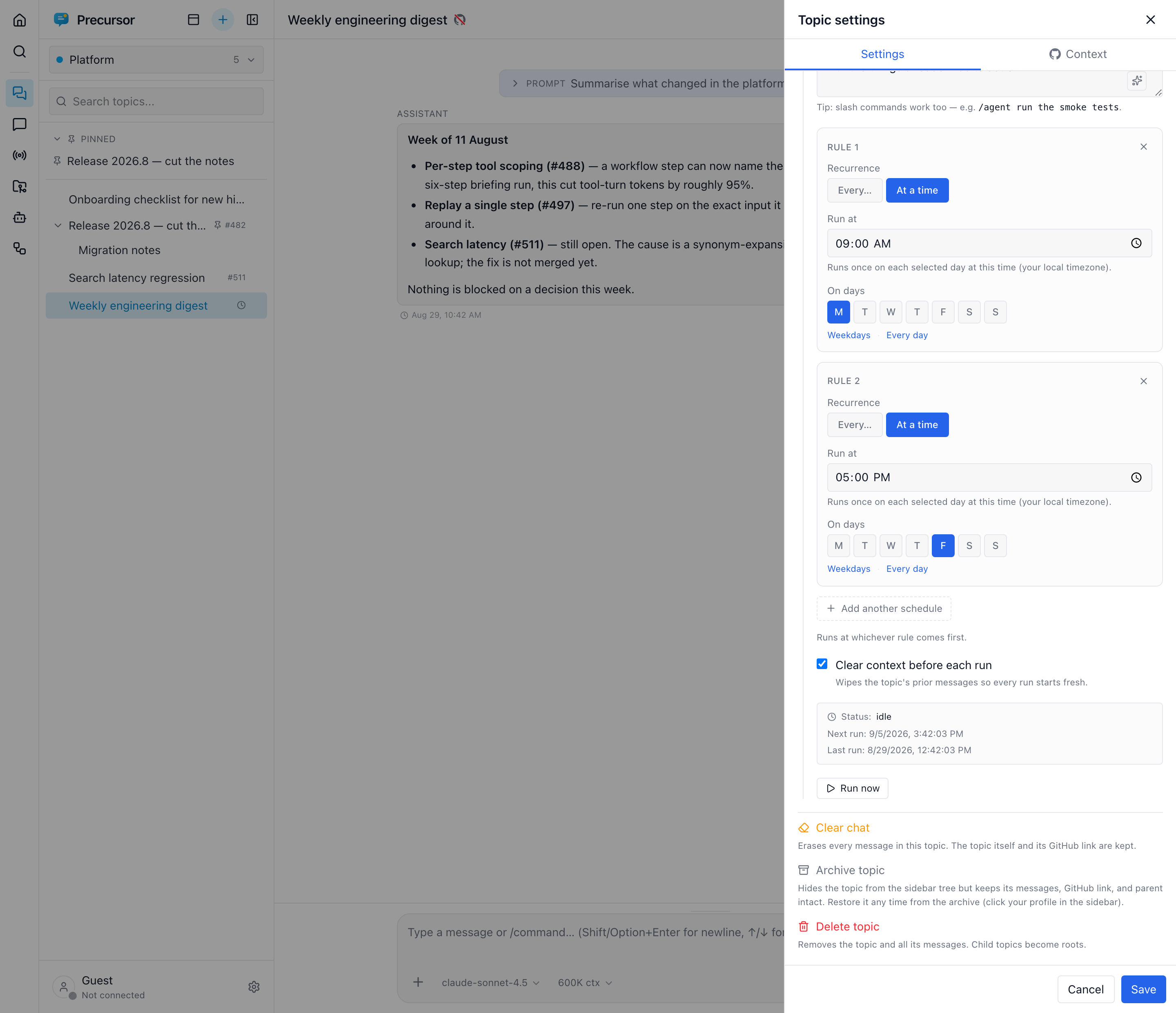
Any topic or agent runs on a cadence simply by having an enabled schedule, edited from its settings panel. Recurrence supports:
- an interval,
- a weekday mask, and
- a daily time-of-day in a timezone.
Several cadences on one item
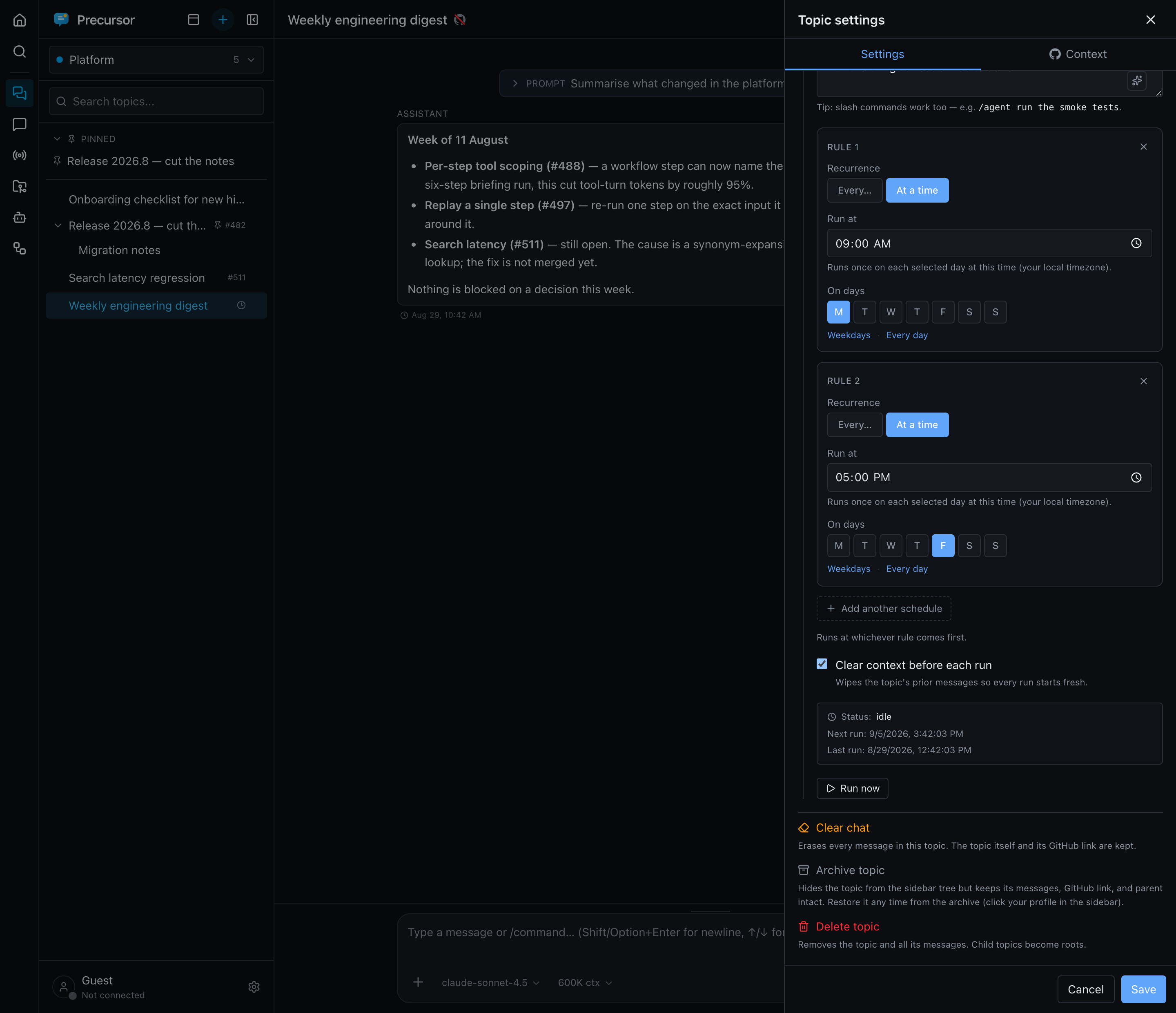
One schedule can hold more than one recurrence rule. Press Add another schedule in the recurrence editor to combine them — for example every day at 07:00 plus every weekday at 12:00. The item then fires at whichever rule comes first, so you express "the morning digest, and a midday one on working days" without duplicating the topic, agent or workflow.
Rules are independent: each has its own interval-or-time mode, weekday mask and time. The item still has a single prompt, a single enable toggle and a single next-run time (the earliest across the set), so pausing it pauses every rule at once.
The same editor backs scheduled topics, agents and workflows, so the vocabulary is identical everywhere.
TIP
Prefer several time-of-day rules over one short interval when you want runs at specific moments. Two daily rules cost two runs a day; a 15-minute interval costs 96.
Commands vs generation
A scheduled prompt that begins with a slash command (e.g. /agent run the tests, /gh-sync) is dispatched to that command's backend action — the same commands the chat composer offers on the topic surface, plus your skills. Anything else runs a normal generation turn, the same path as manual chat.
Nudging an agent cleanly
A recurring /agent <uuid> <follow-up> grows the agent's transcript (and the input tokens replayed each turn) without bound. Two directives reset the transcript first while keeping the same uuid so the schedule keeps resolving:
/agent <uuid> /clear <follow-up>— reset, then send the follow-up./agent <uuid> /run [extra]— reset, then replay the agent's own task prompt plus an optional one-off extra. This keeps the instructions in one place, so the recurring prompt shrinks to a tiny nudge.
When a scheduled agent pauses mid-run for an approval, you don't have to be watching: it raises the out-of-band "agent needs you" signal — a focus-independent notification, a 🔔 in the tab title, and top billing in the ⌘K palette.
A scheduled topic that needs a tool approval notifies you the same way; if nobody answers within the schedule's Approval timeout (default 60 minutes), the call is denied and the run finishes without it.
/guard — gate a run behind a cheap probe
A scheduled prompt can be prefixed with one or more /guard directives that gate the whole run behind a cheap, deterministic MCP probe (no LLM, ~0 tokens):
/guard non-empty workiq fetch {"entityUrls": ["/me/mailFolders/<id>/messages?$select=id&$top=1"]}
/agent <uuid> /run
/guard <predicate> <server> <tool> [json-args] calls a single MCP tool and classifies its result — non-empty runs only when rows come back, empty only when none do. When the predicate isn't satisfied the run is skipped silently and just reschedules. This stops a poller (say, an inbox watcher) from burning a full ~70K-token turn every tick only to find nothing to do.
Guards are designed to fail safe:
- A malformed or failing guard fails open — the run proceeds — so a typo or a transient MCP error can never silently disable a schedule.
- The one exception is a server that needs interactive sign-in: instead of failing open into a turn that would just error, the guard surfaces a re-authenticate prompt and skips until you sign in.
Run now
An explicit Run now is a forced run: the guard still gates (an empty probe still skips), but the skip is recorded visibly — a manual trigger that finds no work says so, while automatic ticks stay silent to avoid posting every poll.
Reminders
Set a one-shot reminder on a topic or chat and it resurfaces at the chosen time with a posted system message — a lightweight "come back to this" without a full recurring schedule.
The /reminder command
Type /reminder in the composer (on a topic or chat) to open a date-and-time picker. You can add an optional note that rides along with it:
/reminder ping the vendor about the SLA- One per conversation — setting a new
/reminderreplaces the existing one. - When the time comes, the conversation resurfaces with a posted system message (and a browser notification when those are enabled), and the reminder appears in the Reminders banner at the top of the sidebar until you deal with it.
Two companion commands manage the lifecycle:
/reminder-cancel— cancel the pending reminder on this conversation before it fires./done— mark a fired reminder as handled, removing it from the Reminders section.
Seeing a pending reminder
A scheduled reminder doesn't flag the conversation in the sidebar until it fires. To check one, open the conversation stats panel on the right of the transcript: its Reminder section shows the time, how far away it is, and the note. Edit changes or cancels it. Once it fires, a Done button appears next to Edit. With no reminder set, the section offers Set reminder. When the panel is collapsed, an alarm-clock icon on its rail shows that a reminder is set; hover it for the details or click it to open the panel. The section updates live, so a reminder an agent sets through MCP shows up without a reload.
Reminders are also exposed through the built-in precursorMCP server, so the model (or another MCP host) can set, list, and cancel them too.