
Artifacts & state
Two different stores, deliberately kept apart: artifacts are what an agent publishes for others to read, and state is what it remembers for itself between runs.
Shared artifacts (blackboard)
Agents share results through a blackboard. A completed run publishes its result as an artifact, and a workflow hands a step's artifacts to the next step's kickoff context — this is the channel that turns a series of agents into a pipeline. Artifacts belong to the run that published them, so a second pipeline sharing the same agent never erases a blackboard the first one is still reading.
An agent can also publish a named output mid-run with an ARTIFACT: directive, in one of two shapes:
- Inline —
ARTIFACT: <title> | <content>on one line, for a short value. - Block —
ARTIFACT: <title>with no pipe, then the full Markdown body on the following lines, closed byEND_ARTIFACT. Use this for a substantial deliverable so it lands whole instead of being truncated to a heading.
Autonomous agents and workflow steps are taught these directives, and theirs are the only ones read: a step publishes even when its agent isn't autonomous. A plain agent that quotes the syntax in conversation publishes nothing.
The blackboard is freshened, never stacked. Anything that starts the agent over — a fresh objective re-run, a webhook re-trigger, or /clear — wipes the previous run's artifacts first. A conversational follow-up is the exception: it keeps them, because it's continuing the run rather than restarting it. That is what lets a refined deliverable read as versions of one result (below).
Reading an agent's result
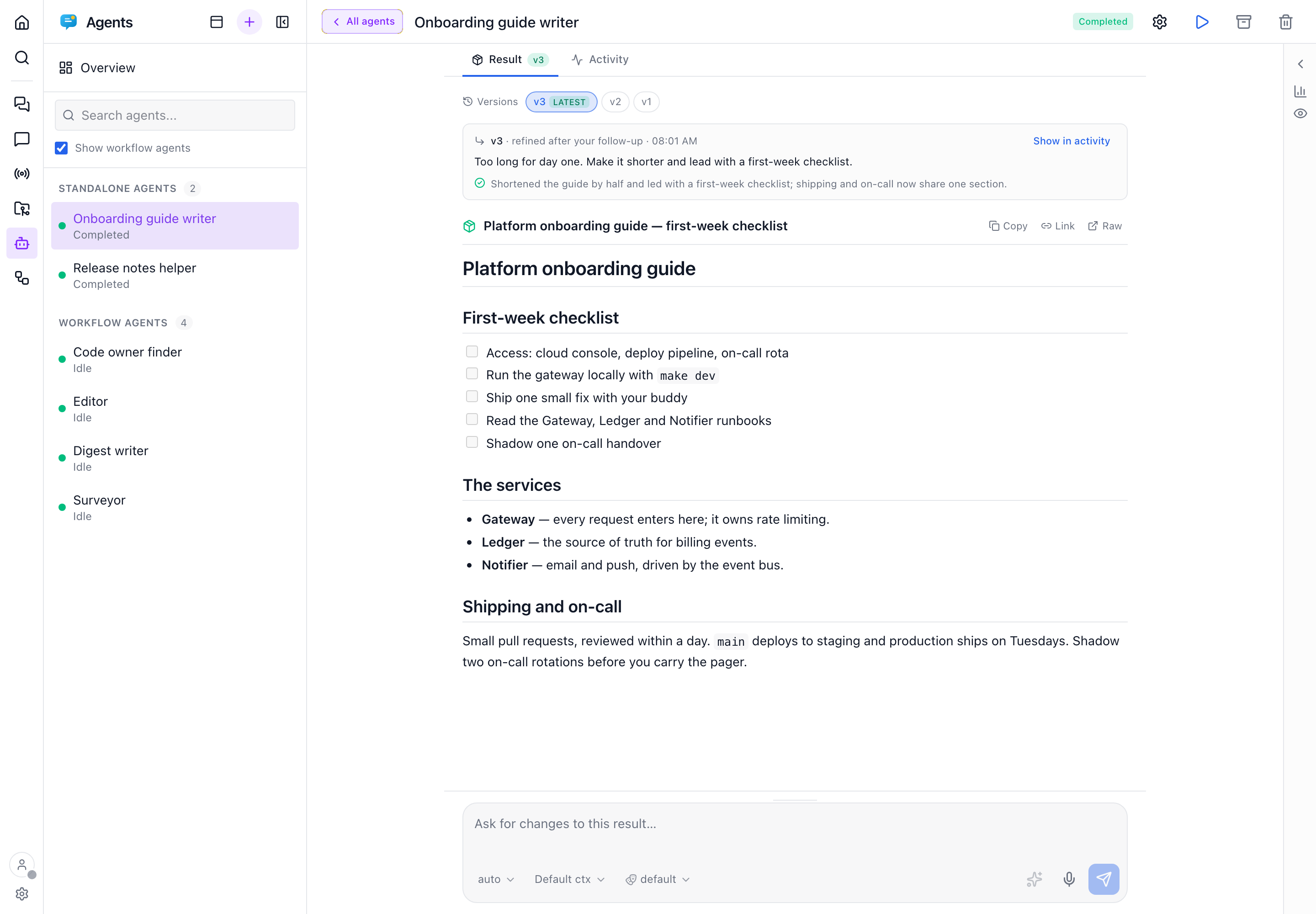
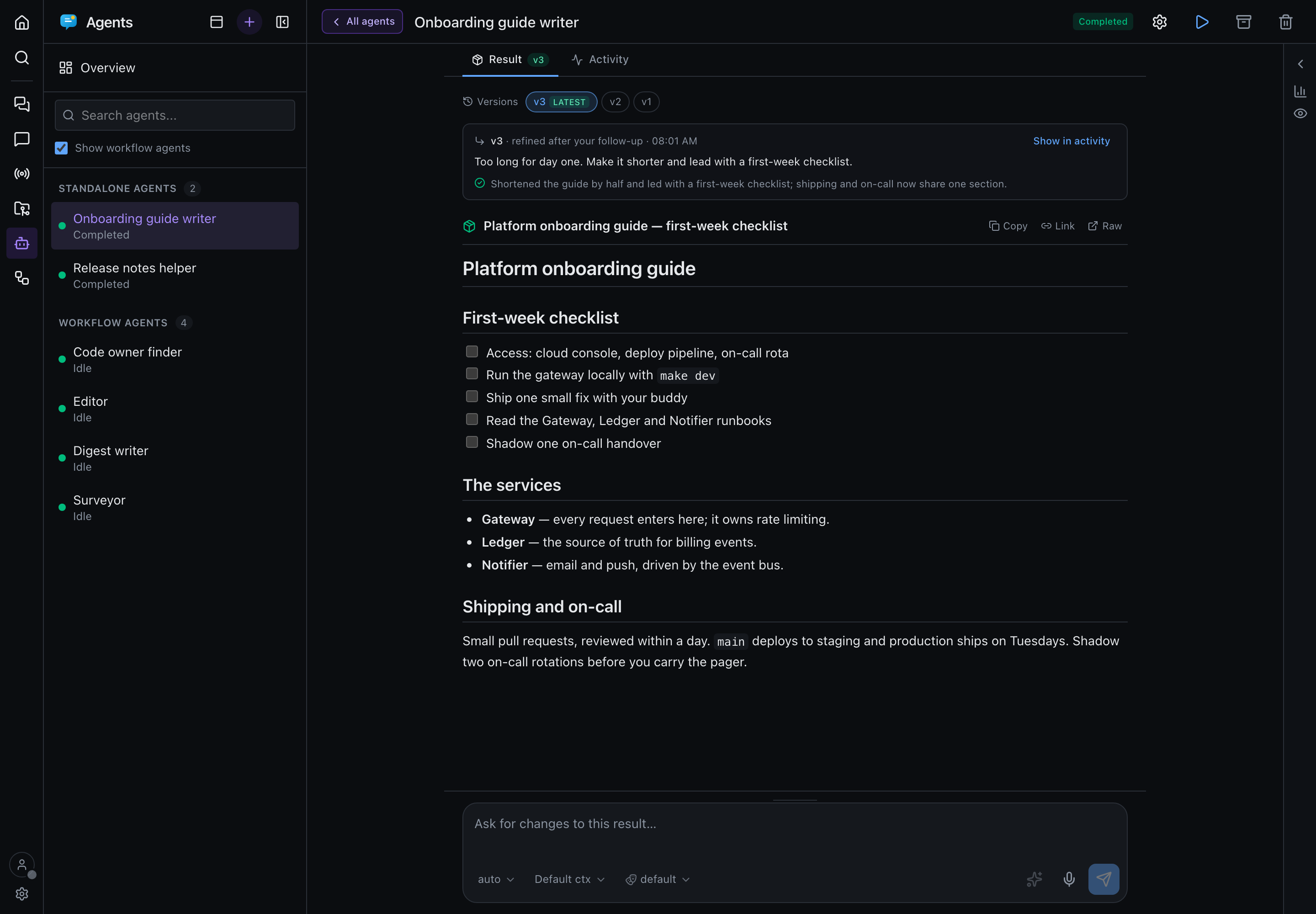
Published artifacts are the agent's result, and they get a tab of their own. As soon as an agent has published something, its page splits into Result and Activity:
- The result is shown once. An
ARTIFACT:block's body renders in the Result tab only. In the timeline, the answer that published it shows its prose and a compact card (title, version, latest or superseded by vN) that opens it in the Result tab. - Refining makes versions, not a pile. Each exchange (your prompt and the turn it set off) that publishes becomes a numbered version: v1 from the task, v2 after your first follow-up, and so on. The tab opens on the newest; the rail lists the earlier ones, newest first. Each version shows the prompt that produced it and the agent's
OBJECTIVE_COMPLETE:summary of what changed, and Show in activity jumps to that exchange in the timeline. - The page follows the work. While a turn runs, when the agent needs you, or when a turn stopped short, the page shows Activity. Once the agent comes to rest on a turn that published a new version, it switches to Result. Clicking a tab keeps you there until the next turn starts or the agent needs you, and an approval, a question or a Resume button shows on both tabs. In the Result tab, the composer asks for changes to the result on screen.
An agent that has published nothing keeps the plain timeline, with no tabs.
When the model publishes nothing explicit, the auto-captured completion summary stands in as the result. The insights sidebar still lists every artifact (with its version when it has one) for agent-to-agent use. Each artifact is addressable: copy its content, copy a permalink (/agents/{id}?artifact={artifactId}, which opens the Result tab on that version), or open raw at GET /api/agents/{id}/artifacts/{artifactId}/raw.
Durable state (the private scratchpad)
Artifacts are for publishing; state is for remembering. A recurring agent needs to know where it got to last time — the last id it processed, a counter — and neither of the other two stores fits:
| Scope | Survives a re-run? | In the prompt? | |
|---|---|---|---|
| Memory | Global, app-wide | Yes | Always injected, everywhere |
| Artifacts | One agent | No — wiped on each fresh run | Injected into downstream fleet agents |
| State | One agent | Yes | Keys only — bodies on demand |
The bodies never enter the prompt. Each turn the agent's preamble gets only a key index — names, sizes, and when they changed — and the agent pulls the one body it needs with a tool call. That's the whole point: a 40 KB saved cursor costs nothing per turn.
Agents read and write it through four first-party MCP tools, which default to the calling agent's own scratchpad: state_list (keys only), state_get (returns found: false on a first run rather than an error), state_set (upserted by key) and state_delete.
Values are opaque text (JSON by convention) capped at 100 KB, with at most 200 keys per agent. Keep bodies small — this is bookkeeping, not payload storage. For anything large or worth version-controlling, write the file to a workspace and store just the path here. The insights sidebar lists the keys under State and offers a per-key delete plus a reset for when a saved cursor has gone bad.
Exposing state to external MCP clients
The state_* tools are always available to Precursor's own agents. Serving them to outside MCP hosts is a separate, opt-in disclosure — enable Agent state under Settings → MCP servers → Precursor capabilities. External callers must also name the agent_id explicitly; only an in-app agent gets the implicit "me".
A workflow has its own equivalent, scoped to the pipeline rather than to one agent.