
Configuration
Almost everything in Precursor is configured at runtime in the app — under Settings — rather than through environment variables. Every setting has a built-in default, so the app runs fine with no .env file at all. The handful of process-level knobs (host, port, database URL, backup scheduling) live in .env; see the configuration reference.
Connecting a model
Open Settings → Model → Configure provider to enter each provider's credentials. You can configure several providers at once; Apply & refresh models saves credentials without changing Global default provider. Save that separate default selector only when you want inheriting conversations to switch. Global default model sits right below it and lists that provider's models. Each assistant reply's footer names the provider that served it. Select Mock (offline) under Configure provider and untick Enabled to hide it from pickers and make unconfigured providers report an error instead of answering with canned replies. Secrets are stored in the local database and never echoed back by the API — only a *_present boolean is returned.
Provider pickers show a green ✓ Configured or amber ○ Not configured badge using the saved required fields and GitHub sign-in status. Mock is available without configuration. Ollama needs an explicitly saved Base URL (for example, http://localhost:11434/v1) before it counts as configured or appears in the conversation model picker; the input's placeholder does not configure it. This is a setup indicator, not a connection test or a guarantee that inference will succeed.
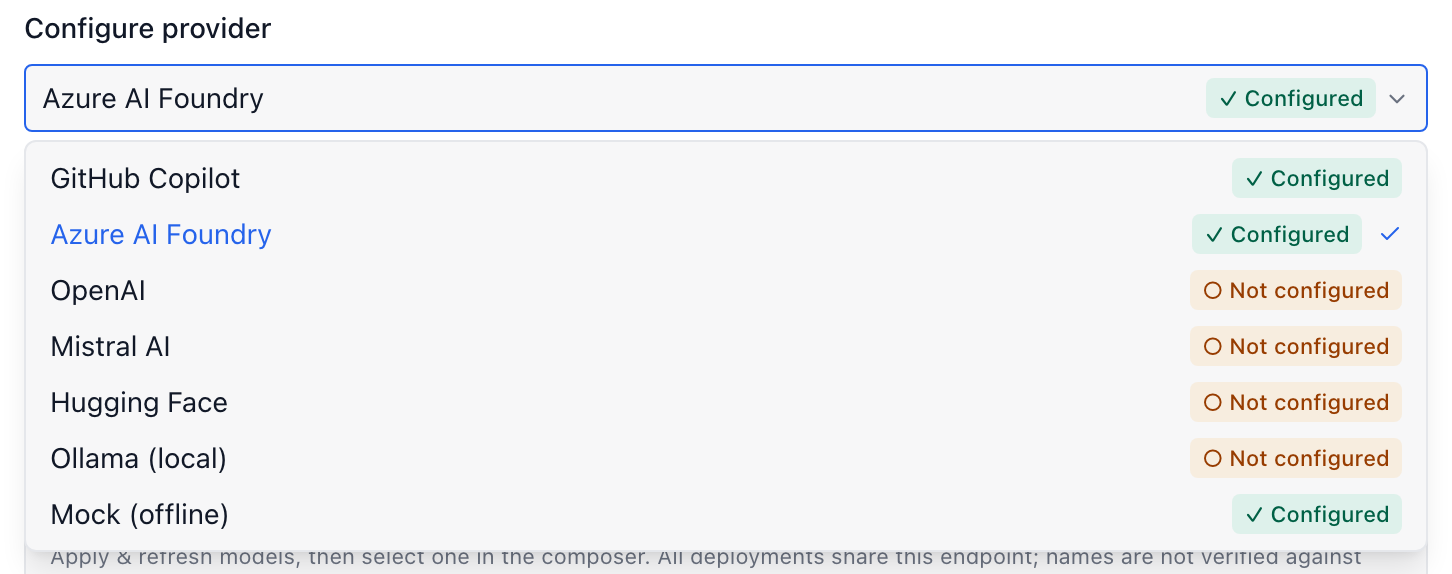
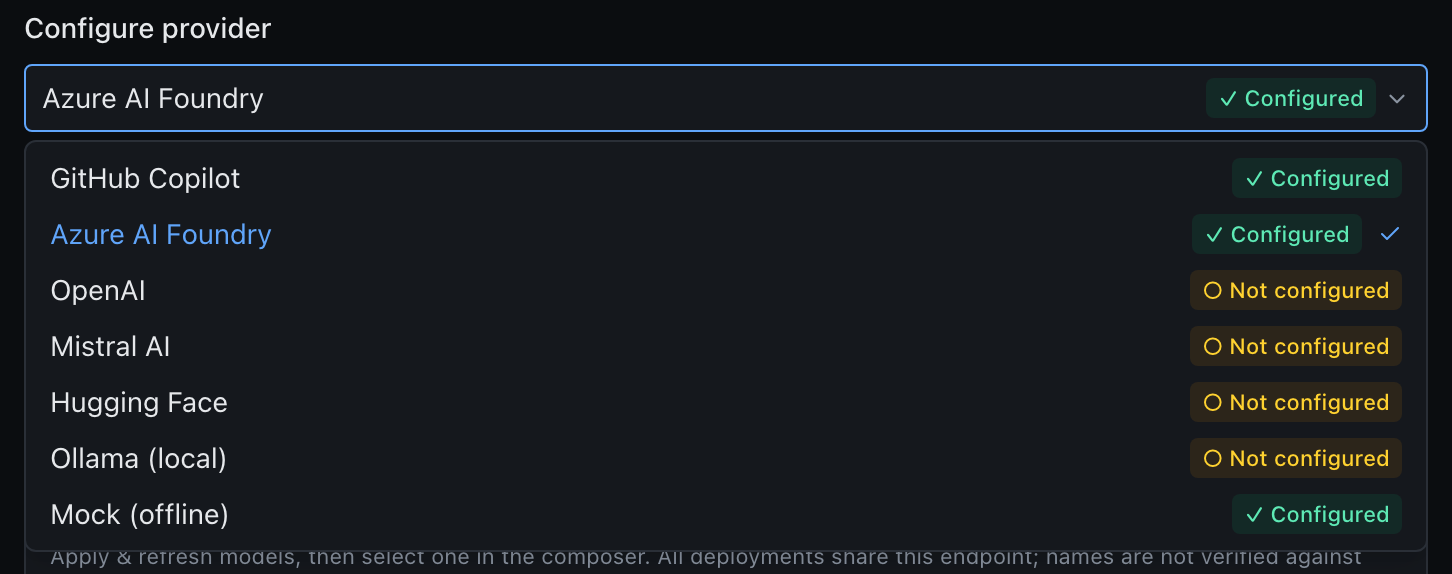
| Provider | What it is | Credential |
|---|---|---|
| GitHub Copilot (default) | The Copilot model catalogue (Claude, Gemini, GPT, …), OpenAI-compatible at api.githubcopilot.com | a gho_* token |
| Azure AI Foundry | Azure OpenAI / AI Foundry deployments | endpoint + key + deployment names |
| OpenAI-compatible | OpenAI, Mistral, Hugging Face, Ollama, or any compatible gateway | base URL + key |
| Mock | A deterministic streamed reply for offline development | (none — automatic fallback) |
Offline by default
When no credentials resolve, Precursor automatically uses the mock provider, so the chat flow stays usable with zero setup. Configure a real provider whenever you're ready.
Which model gets used
Chats and topics have a single model picker in the composer. It lists models and preset categories from all configured providers, grouped by provider. Choosing a model saves its provider automatically for that conversation; there is no separate provider control. Search by model, publisher or provider name. Reasoning effort and context size are saved with it, not applied to other conversations. Use global default clears the complete override; new and existing conversations inherit the global selection until you override it. The start screen and workspace composer still edit the global model defaults.
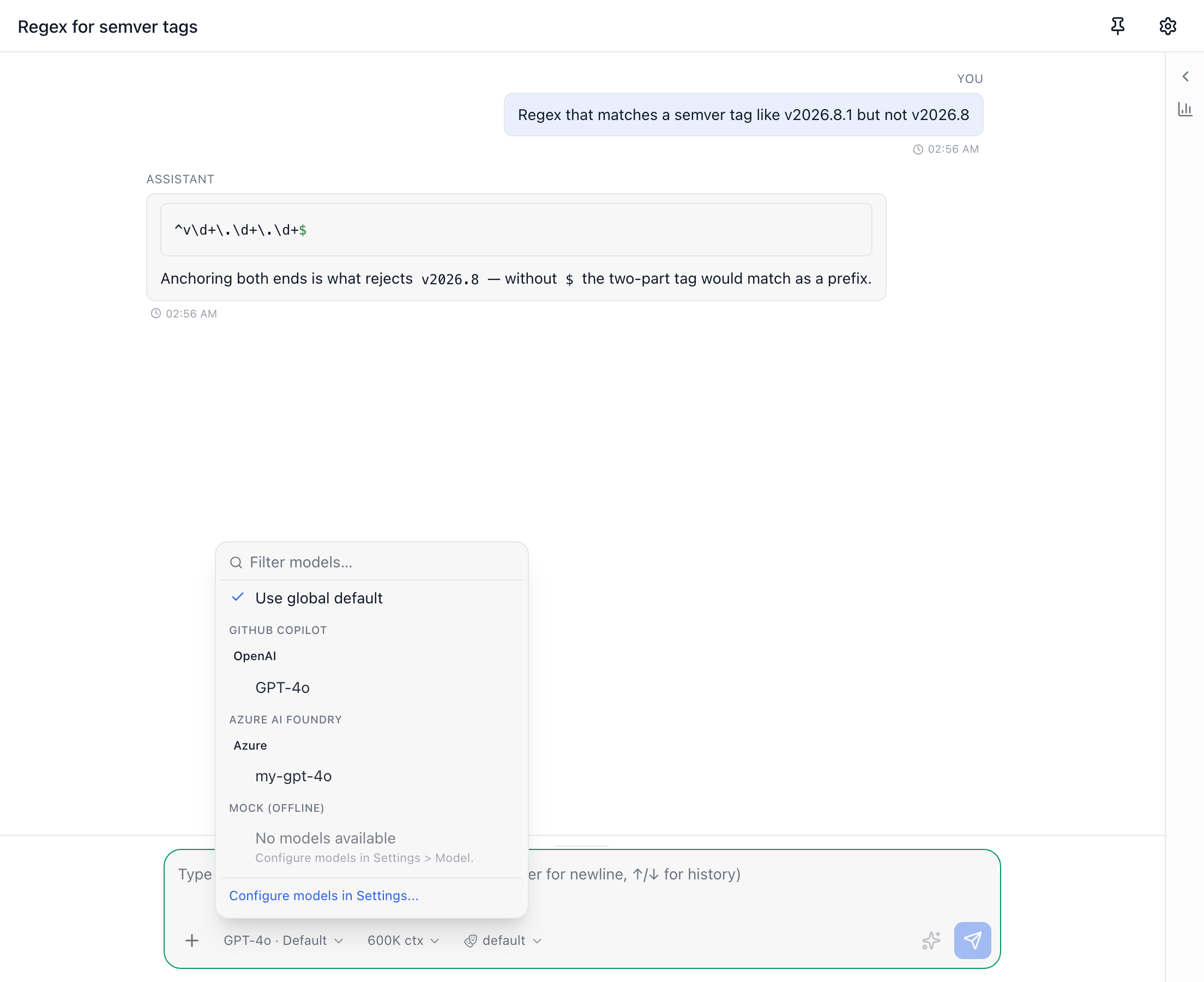
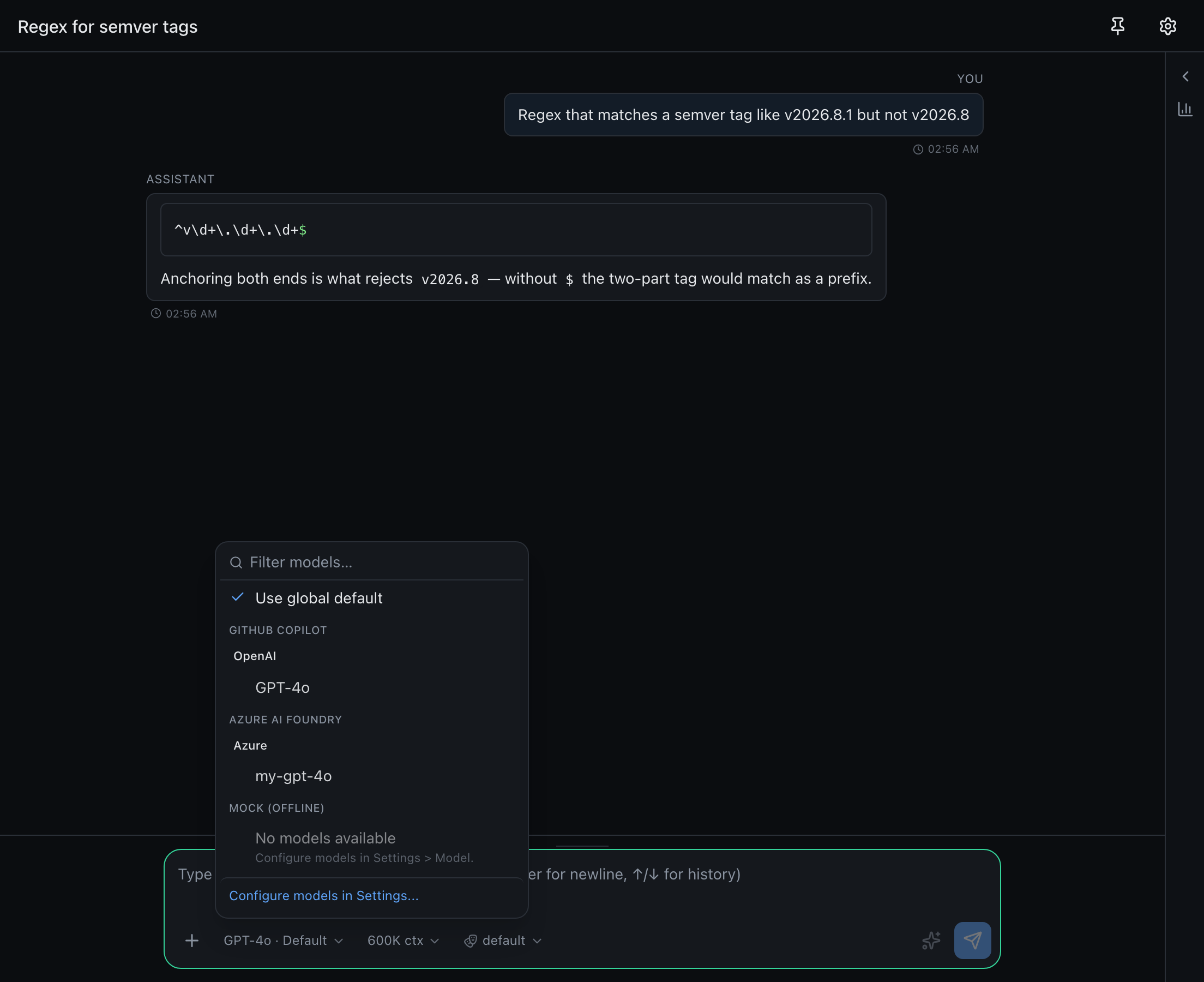
The model's hover hint identifies its provider. Identical model IDs on different providers remain separate choices. Use global default is in this same menu. To enter a model ID missing from the catalogue, type it and choose the manual entry labelled with its destination provider. An unavailable provider catalogue does not hide working models from other configured providers.
Conversation-related replies, retries, /compact, summaries, notes and naming use this selection, including scheduled topic turns. A conversation override also takes precedence over global feature-specific naming models. Side chats copy their source topic's override, and promoting a chat preserves it. Ordinary child topics do not inherit their parent's override.
An explicitly selected provider that is missing credentials fails visibly; it never switches to Mock or another provider. The automatic offline fallback still applies to conversations using the global default. Provider-local model alternatives and retirement handling remain available.
Agents and workflows stay on the Copilot SDK. Live, IQ and the OpenAI-compatible endpoint retain their global defaults. Each provider still has one saved configuration: multiple named Azure endpoints/accounts are not supported.
For Azure AI Foundry, add deployments one at a time in Deployment names: enter a name such as my-gpt-4o, then press Enter or click Add model. Each added model appears as a small bubble; use its remove button to delete it from the draft. Duplicate names are rejected. All names must belong to the configured endpoint and use its shared API key and API version. Click Apply & refresh models, then choose a deployment in the composer model picker or use it in model alternatives. The first name is the default when no model is selected. Existing single-name configurations continue to work. These are deployment names, not underlying model catalogue names: Precursor does not discover or verify them against Azure, and incorrect names fail when used. Manual model-id entry remains available.
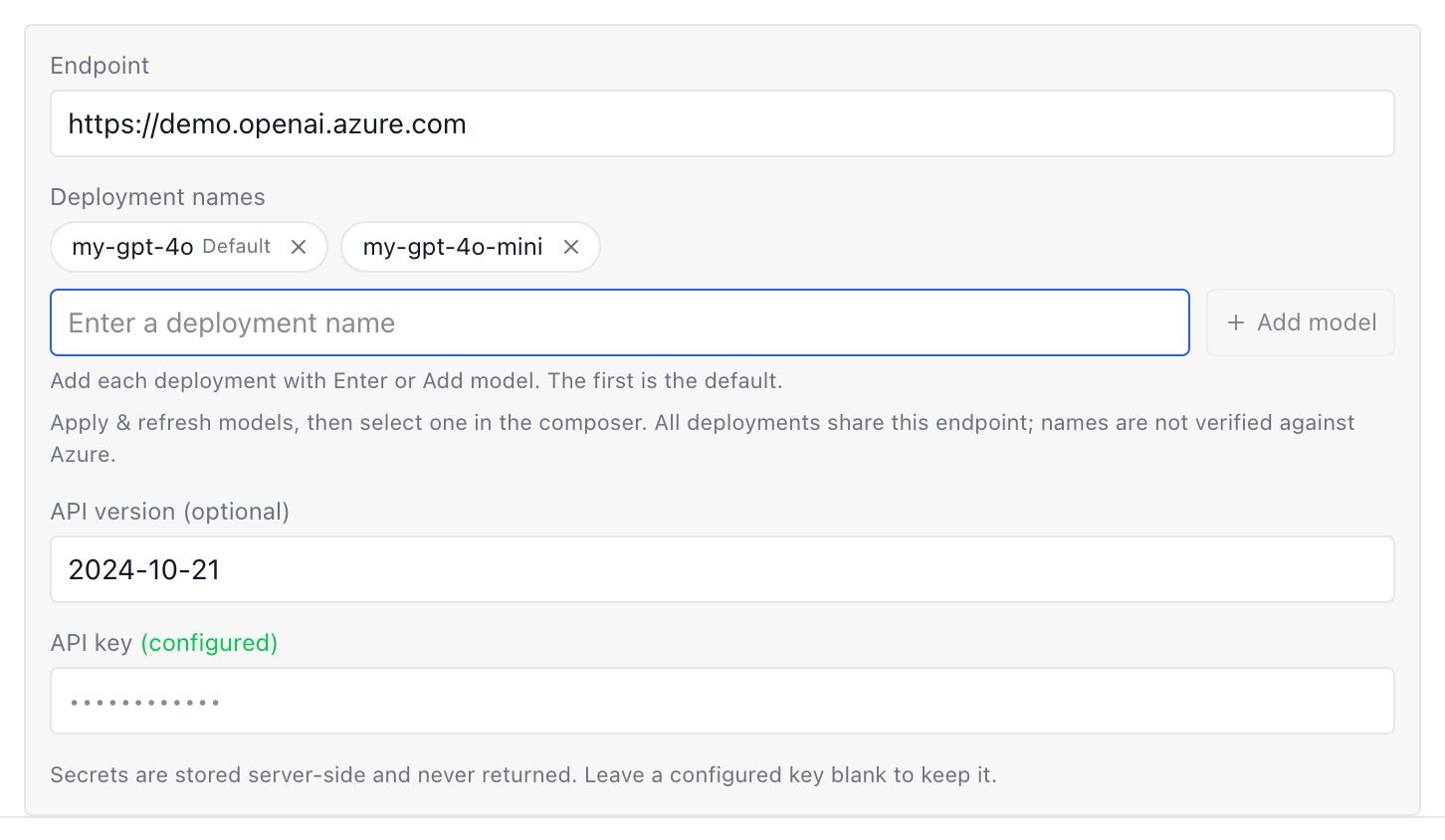
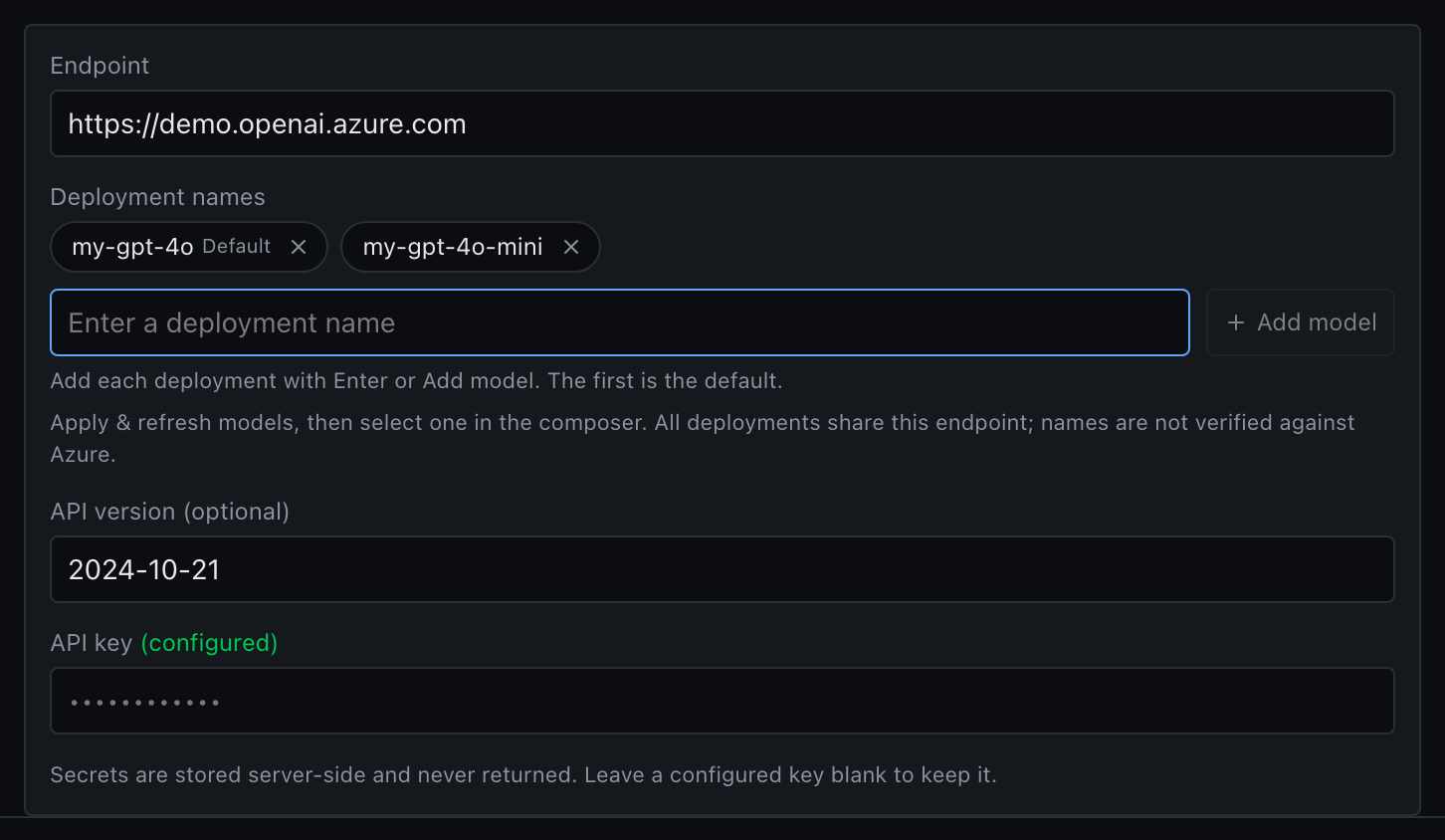
Precursor pins no model id of its own. Until you choose one in the composer, the global chat model is the first entry in the catalogue the default provider advertises — so a fresh install works without picking anything, whatever that provider happens to offer today.
Your choice is honoured for as long as the provider still lists it. Providers retire models on their own schedule, though, and a retired id would otherwise fail every turn — so if the one you picked disappears, Precursor logs a warning and falls back to a model that exists rather than erroring. If the catalogue can't be reached at all, your stored choice is used unchanged: an unreachable network is no reason to second-guess you.
The catalogue is cached briefly, and re-read immediately when you change provider or credentials.
Optional model alternatives
Settings -> Presets is a dedicated tab for ordered model presets. A preset group is a category (Efficiency, Balanced, Intelligence, or your own, such as "Deep research"). Each category is an ordered list of models, and each entry carries its own provider, so one category can mix GitHub Copilot, Azure AI Foundry and any other configured provider. There is no global provider selector, and nothing is configured by default.
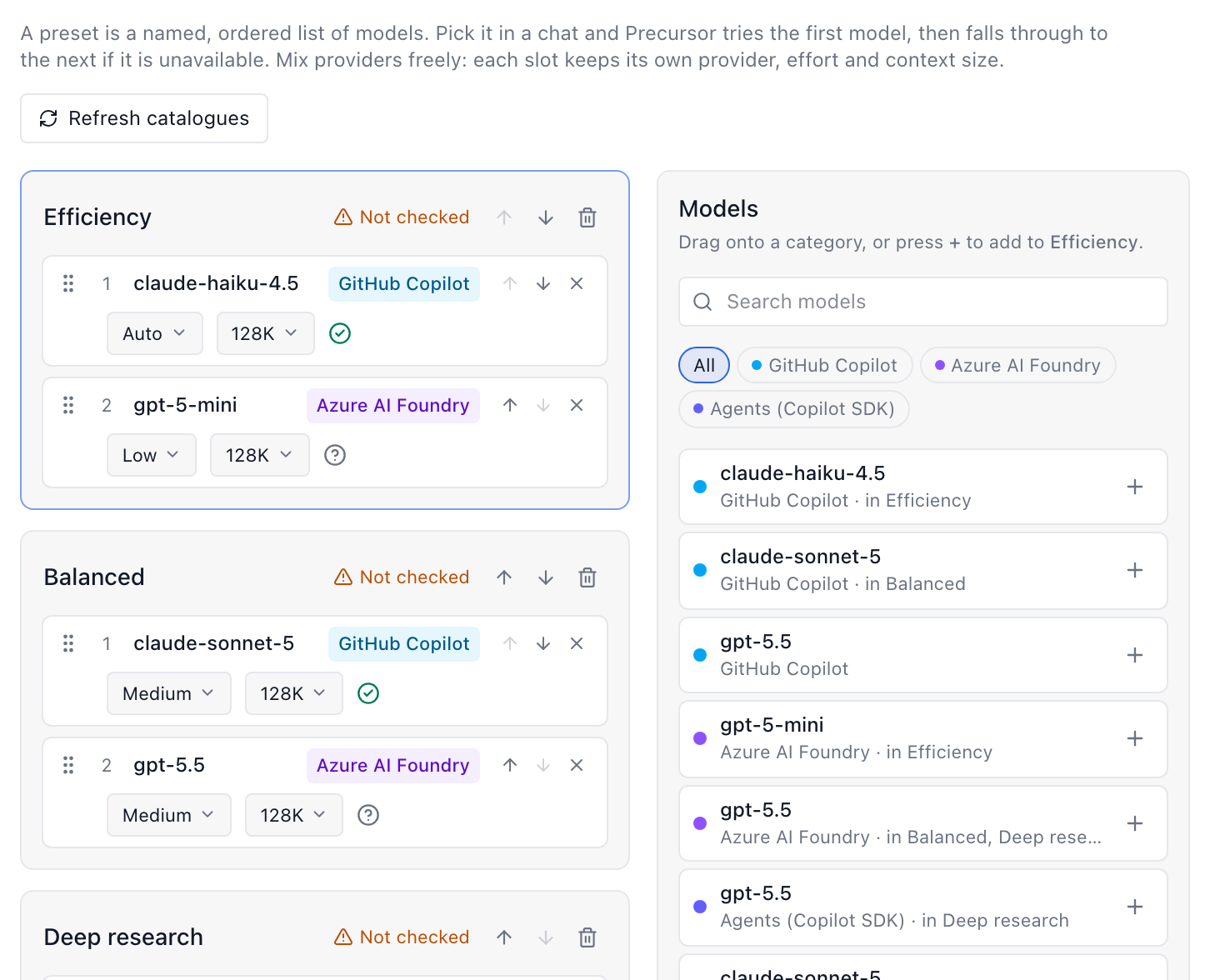
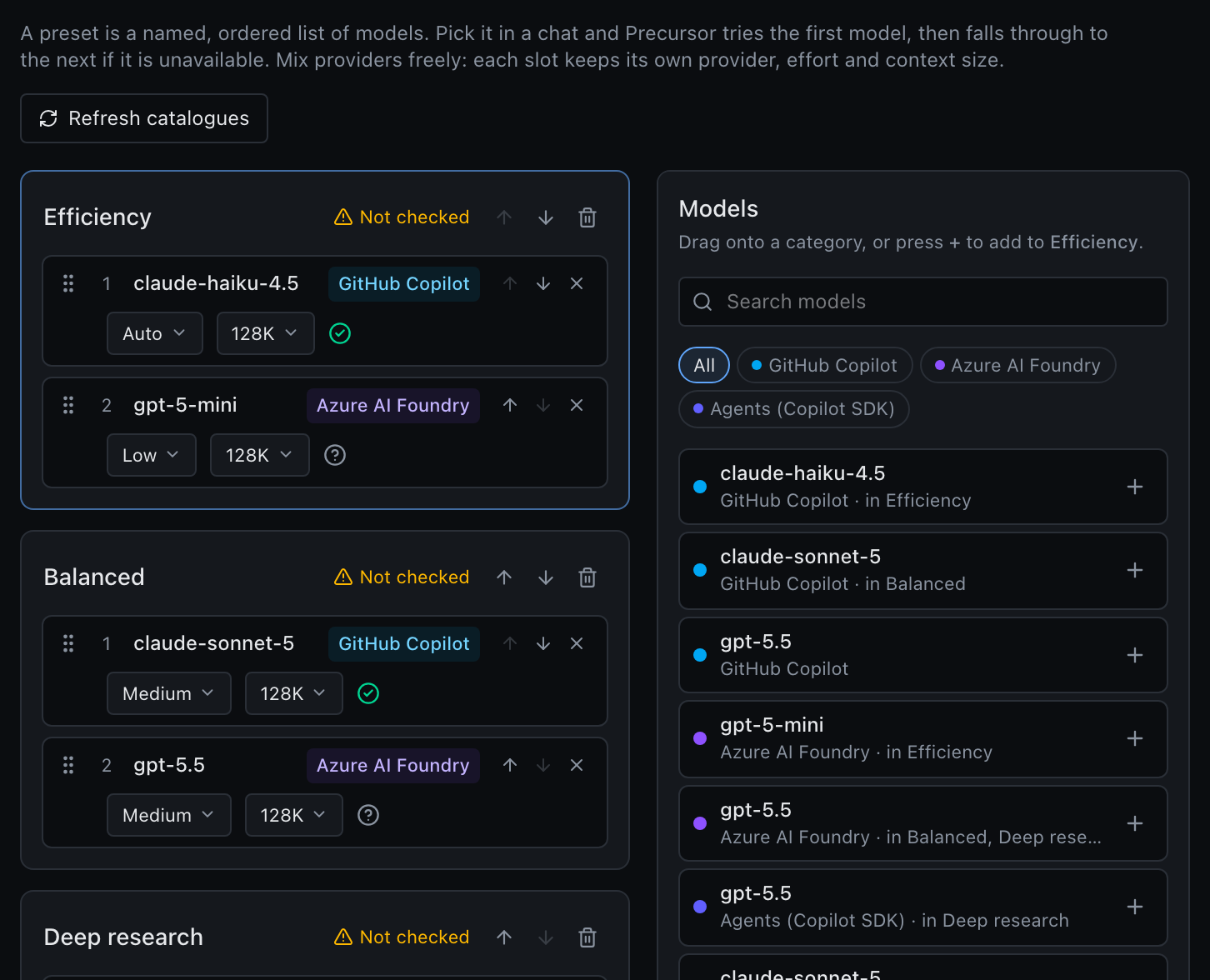
- Create categories with New category, or click a suggested Efficiency, Balanced or Intelligence chip just under it (a chip disappears once a category with that name exists). Rename a category inline.
- Add models by dragging them from the palette (search and filter by provider) or with the + button. Models from unconfigured providers are listed with a Not configured badge.
- Order is the failover order: the first entry is tried first, and the next one when a model is missing or rejects the effort/context.
- Set the effort and context (or context tier for Copilot agents entries) on each entry. Each combination must be unique across all categories.
Chats and topics can use any provider's models. Agents and workflows run on the Copilot SDK, so they only use entries tagged Agents (Copilot SDK); put both kinds in one category to cover every surface.
A category can be chosen from the composer model picker, so one conversation can fail over across providers. Categories hold at most 12 entries, and at most 24 categories can exist. Save in Settings persists them.
Topics/chats, live analysis and summaries use the provider scope; agents and workflow steps use the SDK scope, even when both use the same GitHub Copilot subscription. Each has its own categories and context controls. Alternatives never switch provider or credentials.
Selecting a preset from a prompt
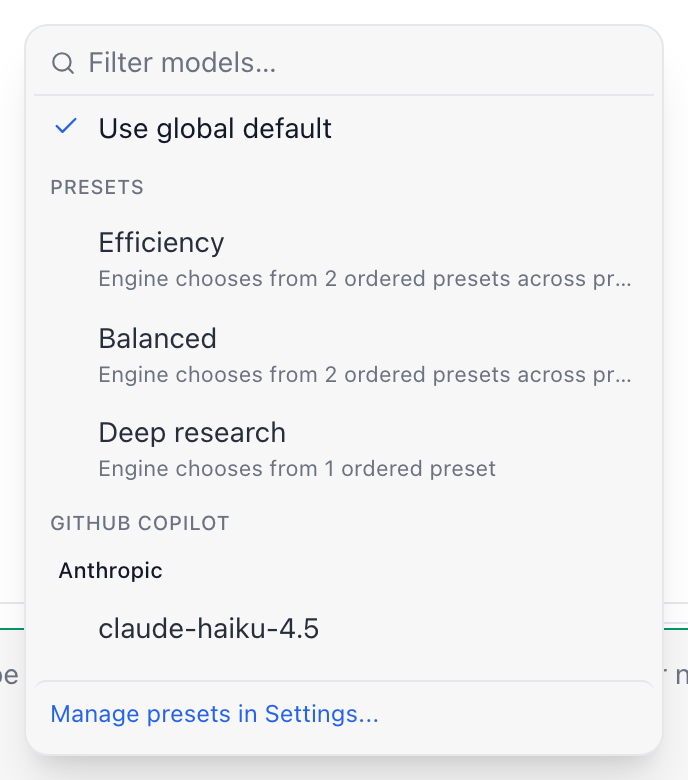
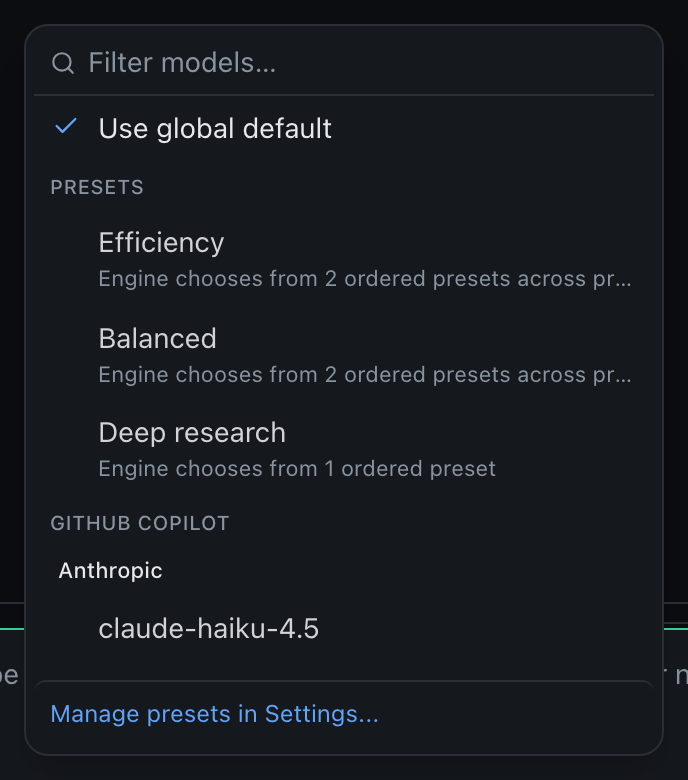
The prompt's model dropdown includes a Presets group listing your categories. Chat/topic composers show presets alongside the models of every configured provider; choosing a category saves it with the conversation. Agent composers use the entries tagged Copilot agents. Manage presets in Settings... opens the Presets tab.
Select a category, not an individual model. Precursor saves that category as your intent; the engine chooses the first currently listed preset in its configured order, with that preset's own model, effort and context. If its request is rejected before output/actions, the engine tries the remaining presets in the same category. It never falls back to another category or the last direct model.
The prompt shows the selected category; individual effort/context controls are hidden because those belong to the presets. Your last direct-model defaults remain stored. Choosing an ordinary catalogue model exits category mode and restores the direct selection controls.
Chat, topic, workspace and scheduled turns honour the default category, as do default-model summaries/refinement/naming/live calls. Explicit per-turn or feature model overrides and agent/workflow model pins take precedence. SDK categories apply to unpinned agent defaults. If a selected category is later emptied, requests fail clearly until you configure it or select a direct model.
Search by category, an underlying model name/id, or Presets. Model ids remain editable in the dedicated preset editor, including retired ids for matching. Selecting a category never modifies its definitions or crosses providers/runtimes.
Editing preset definitions
Add current selection captures the model, effort and context currently selected in the composer; Add preset adds an alternative. Each model uses the same searchable dropdown as the prompt composer: filter by name or id, or by publisher for chat models. Saved ids missing from the current catalogue remain selectable under Saved model ids. To enter a deployment or retired id manually, type it in the dropdown search and choose Use model id (or press Enter when no catalogue entry matches). Set each preset's effort and context, move it up or down to control priority, then Apply to settings and Save in Settings. Remove every preset to restore existing behaviour. The shared dropdowns stay above the editor, and Escape closes an open dropdown before it closes the modal.
Each category/runtime cell in the modal shows a catalogue-check status; Settings shows an aggregate of the configured runtimes:
| Status | Meaning |
|---|---|
Green N/N listed | Every preset id is in that provider/runtime's catalogue, with no warnings from the advertised effort/window metadata. |
| Amber needs review | A model is no longer listed, a preset is incomplete/duplicated, or its effort/budget needs attention. Each affected preset explains why. |
| Amber Setup required | Provider credentials/configuration are missing, the provider resolved to the offline mock, or the Copilot SDK runtime is not enabled/started. |
| Amber Not checked | The catalogue failed, returned no models, or cannot be discovered (for example Azure AI Foundry deployment ids). This does not mean the model is missing. |
| Not configured | No presets in this optional category. |
Check models rereads both catalogues without sending inference requests or saving settings. Checks also run when the settings load, and unsaved edits update the modal warnings immediately. Settings continues to show the applied draft until you Apply the modal's changes. Category badges include listed counts when some presets need review; if no listed alternative remains, the category warns you explicitly. Switching providers discards the previous catalogue's result. Unavailable catalogues never turn all saved models into "missing" models.
These are catalogue and advertised-configuration checks, not test prompts: credentials/quota, temporary inference outages and unadvertised effort or context-tier support can still cause a request to fail. Keep retired ids for category matching, but add a currently listed alternative before relying on the category for recovery.
The requested model/configuration is tried first. If it disappears from a known catalogue, or the provider rejects its model, effort or context configuration, Precursor tries the category's presets from top to bottom. Each alternative uses its own effort (Auto omits it), plus a chat context-token budget or an agent context tier. A same-model preset with Auto effort can fix a stale high effort setting without changing models. Chat history is trimmed to a replacement's budget, capped by its advertised window when available.
Keep the original/retired model in the category so Precursor can identify it. If a model is assigned to several categories, the selected effort and context must match one category exactly; otherwise no category is guessed. An uncategorised selection keeps the existing generic missing-model fallback. auto is managed by the SDK and cannot be categorised.
Saved selections and workflow model pins stay unchanged. A working alternative is reused for later tool rounds and, for agents, the live session until the selection/categories change or the session is rebuilt. Later new sessions try the preferred selection again, so temporary outages do not become permanent configuration changes. Replies/usage record the model actually used; agent request recovery appears in the timeline.
Retries are bounded (at most twelve presets per category). They only recover recognised model/configuration rejections before any output or agent action. Credentials, quota/rate limits, network failures, and errors after output begins remain visible errors. If every preset is unavailable/rejected, the task fails clearly rather than moving to a different category. The setting improves resilience; it cannot guarantee provider availability.
Use these models from other clients
Settings → Model can also serve the active provider's models to VS Code or any OpenAI-compatible client, behind an API key — see the OpenAI-compatible endpoint. It's off by default.
Agents pick their own
Agent sessions default to auto, which lets the Copilot SDK runtime choose a current model. That's an agents-only value — it is not a chat model id, and it isn't valid in Settings → Model.
GitHub authentication
Precursor resolves a GitHub token in this order:
- A token saved in Settings → GitHub.
- Your GitHub CLI session (
gh auth token) if you're signed in viagh auth login.
So if you already use gh, you don't need to set anything. A token needs the models:read fine-grained permission (or Copilot access) for real model responses. With no token at all, Precursor falls back to the mock provider so the chat flow stays usable offline.
The token value itself is never returned by the API. When a token resolves to a real GitHub account, the sidebar persona menu also shows your Copilot AI credits and the next reset date.
With no GitHub account, the persona shows the X-Forwarded-User request header when one is present — handy behind an OAuth proxy such as oauth2-proxy — as "Signed in via proxy", with an initials avatar and a shield badge. When a GitHub account resolves too, it stays primary and the proxy user is noted as "via proxy". It is display only: Precursor does not use it to grant or deny access, so keep the proxy in charge of authentication.
Several accounts signed in to gh
gh auth token follows whichever account is active, so with more than one login the token Precursor gets depends on whoever last ran gh auth switch in an unrelated shell. That's fine interactively, and hopeless for an instance started at login. Pin the login instead:
PRECURSOR_GITHUB_CLI_USER=your_loginPrecursor then asks for that account specifically, every time.
Which repository issues go to
Settings → GitHub also holds the default owner/name repository used when a topic creates an issue. It can be overridden at two narrower levels, checked in this order:
- the topic's own repository, set in its settings panel;
- its collection's repository;
- the global setting above.
Speech-to-text (Live sessions)
The live meeting assistant transcribes audio with Azure AI Speech. Set a Speech key and endpoint under Settings → Speech-to-text. Until then, live sessions can be created but the Record button stays disabled. Audio streams directly from the browser using a short-lived token minted by the backend — the subscription key never reaches the browser, and raw audio is never stored.
Other settings areas
Precursor's Settings panel is organized into tabs, each covered by the feature it configures:
| Tab | Covers |
|---|---|
| Appearance | Light/dark/system theme and the reading font, including dyslexia-friendly options like OpenDyslexic, Atkinson Hyperlegible and Lexend — see Accessibility. |
| Model | Active provider + credentials, default chat model, prompt budgeting (including how long tool results stay in full; see context compression), and the OpenAI-compatible endpoint that lets other clients use those models (off by default). |
| Chat | Stats sidebar, notifications, an optional completion sound, auto-naming for new chats, the max tool-call rounds, and the tool approval defaults, timeout and rules. |
| GitHub | Token, default repository, issue-context behaviour. |
| MCP | Enable tool servers and choose which of your own sections the built-in server exposes (off by default). |
| Precursor IQ | Manage the Precursor IQ index: status, rebuild, opt-in embeddings (provider, model, connection test) and the Ask answer provider and model. |
| Collections | Create and edit collections. |
| Agents | Turn Agents mode on/off, set the global approval policy, manage blueprints, choose whether new sessions track file changes for rewind (on by default), and bound timeline retention. |
| Workflows | The defaults a new pipeline starts from. |
| Live / Speech-to-text | Enable the section, pick the fast insights model, set transcript retention and Azure Speech credentials. |
| Backup | Periodic copy of the database, attachment blobs and definitions into a plain folder. |
| System | The scheduled-run timeout, storage retention and the command-runner jail. All database-only, and applied without a restart. |
Fleet-wide knobs that aren't per-object — the agent concurrency cap, retry backoff — are .env settings.
Process-level configuration (.env)
For deployment concerns — bind host, port, database URL, log level, shutdown grace, and backup scheduling — copy .env.example to .env and uncomment what you want to override:
# PRECURSOR_HOST=127.0.0.1
# PRECURSOR_PORT=8000
# PRECURSOR_DATABASE_URL=sqlite+aiosqlite:///./precursor.db
# PRECURSOR_DATABASE_URL=postgresql+asyncpg://user:pass@localhost:5432/precursor
See the full list in the configuration reference.
Postgres needs an extra
The default database is a local SQLite file. To point at PostgreSQL, install the postgres extra (uv sync --extra postgres) for the asyncpg driver and set PRECURSOR_DATABASE_URL accordingly.