
Agents
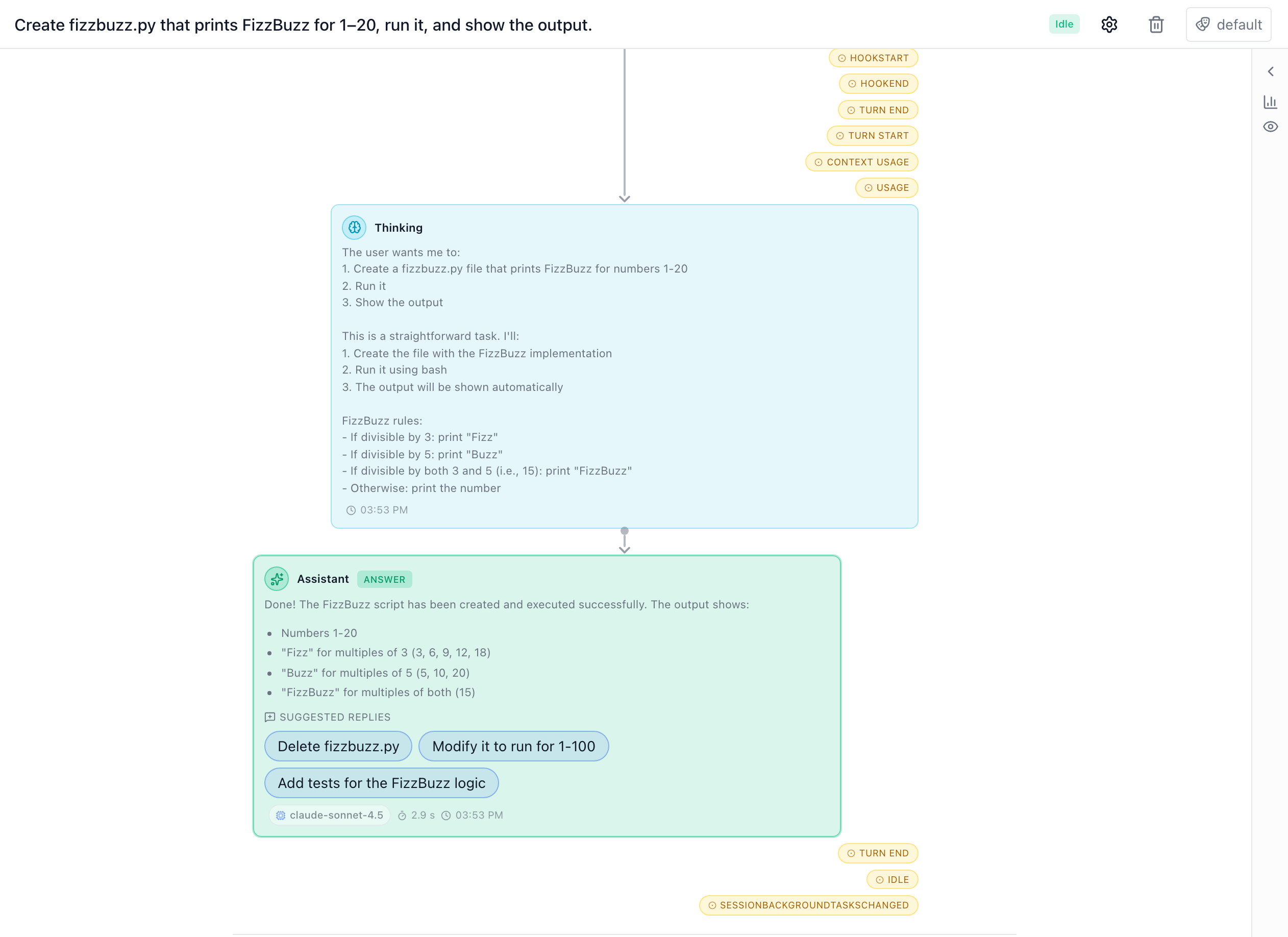
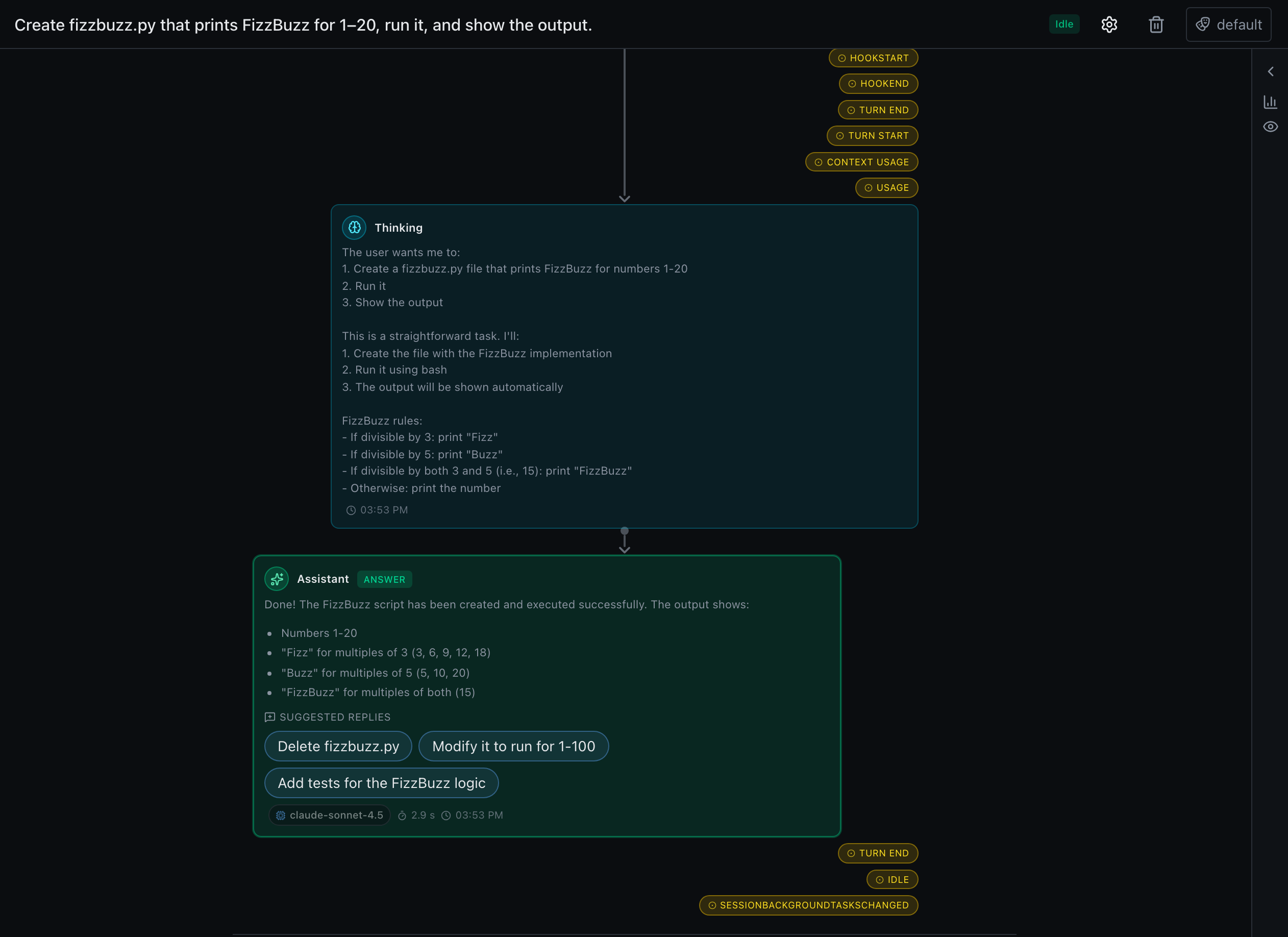
Agents mode hands a long-running task to an autonomous Copilot SDK agent attached to a topic or chat, and lets you follow its progress in a workflow-style timeline. It's opt-in and off by default.
Enabling agents
Agents mode isn't part of the default install — it lives behind an agents extra that bundles the native Copilot CLI runtime:
uv sync --extra agents                 # adds github-copilot-sdk
uv run --extra agents precursor --dev  # …or run the dev stack with it
Installing the extra only makes the runtime available. Agents stay disabled until you turn them on in Settings → Agents, where the UI also reports whether the runtime resolved on your platform.
~90 MB native runtime
The github-copilot-sdk wheel bundles the native runtime binary (~90 MB download, ~145 MB on disk) — which is exactly why it's an opt-in extra rather than a default dependency. See installation.
Following a run
Give an agent a task prompt and it works autonomously, streaming its steps into a timeline you can watch. Long runs are windowed client-side so even a very long transcript doesn't mount thousands of nodes at once.
- Tool calls are visualized inline, so you can see what the agent did.
- Permissions — the agent surfaces permission prompts for actions that need your approval.
- Usage — token/usage accounting is tracked per session.
Unread badges & notifications
Agent sessions track unread activity just like topics and chats. When a background or scheduled agent produces a new reply while you aren't looking, its row in the Agents list is bold with an unread count, and — when notifications are enabled and the window is unfocused — a browser notification fires. Opening the session clears its badge.
Scheduling agents
An agent can carry its own recurrence (an AgentSchedule) so it re-runs its stored task on a cadence — the first-class equivalent of a scheduled topic that nudges an agent. Each due tick either replays the task on a fresh transcript (clear_context) or sends a follow-up in the existing conversation. A run is skipped (not failed) while the agent is mid-turn, archived, or task-less.
You can also drive an agent from a scheduled topic with slash directives:
/agent <uuid> /clear <follow-up>— reset the transcript (same uuid), then send a follow-up./agent <uuid> /run [extra]— reset, then replay the agent's own task prompt (plus an optional one-off extra), keeping instructions in one place.
See the scheduler for how these directives — and /guard gating — fit together.